
I’ve heard the saying: once something’s on the internet, it’s there forever. It doesn’t have to be that way.
The internet can feel overwhelming, and information spreads fast. Personal details can end up online without your consent—or by accident—and there are plenty of legitimate reasons to pull them out of Google’s results.
If that’s you, use the six steps below to remove personal information from Google as thoroughly and efficiently as possible.
6 Steps To Remove Personal Information From Google
Removing personal information from Google doesn’t always mean deleting the original content yourself. Follow these six steps to cover both pages you control and pages you don’t:
- Start with a quick Google search
- Delete information from pages you control
- Contact webmasters from sites you don’t control
- Contact Google
- Delete information from collection sites
- Monitor your personal information
The Easy Parts of Removing Personal Information From Google
Contrary to popular belief, lots of personal information can be removed from Google with the right requests. Whether you’re preventing identity theft, cleaning up old posts, or correcting misinformation, an online reputation management (ORM) company can handle the legwork if you don’t want to.
It’s also straightforward to remove content you control. If you still have access, edit or delete the posts and pages that expose sensitive details—then make sure those changes are reflected in search (I’ll cover how later).
Google has expanded its privacy protections in recent years. You can request removal of personal contact info and other sensitive data directly from Search (use the three-dot menu next to a result and choose Remove result) or from the Results about you dashboard in the Google app or on the web. Many requests don’t require proving “danger,” but they do need to match Google’s policy categories.
ORM services can leverage these tools at scale and continually audit what’s showing in Search—useful if you’d rather focus on your business while they monitor, request removals, and follow up.
The Difficult Parts of Removing Personal Information From Google
The challenge level depends on the type of information and where it appears. If it’s on someone else’s site, tracking down the owner and getting a response can take time—and cooperation isn’t guaranteed.
Legal removals have extra requirements and processes. You’ll need to submit the correct request type with supporting details, which can be slow if you’re unfamiliar with the system.
Finally, new mentions can pop up after you’ve cleaned things up. Treat this as an ongoing process rather than a one-time fix so you catch and remove fresh exposures quickly.
Stay vigilant. You may need to repeat parts of this process from time to time.
Step 1: Start With a Quick Google Search
Before you remove anything, map the problem. Search your name, business name, common misspellings, and unique identifiers (like your city + job title). Use quotes around your name, try initials, and add filters like Images, Videos, and News to catch items that don’t appear in the main results.
Turn On Incognito Mode
Search in a fresh context to avoid personalized results. Incognito (or a private window) prevents some history-based skew. Shortcuts:
- Incognito on Mac: Press Command + Shift + N
- Incognito on Windows, Linux, or Chrome OS: Press Ctrl + Shift + N
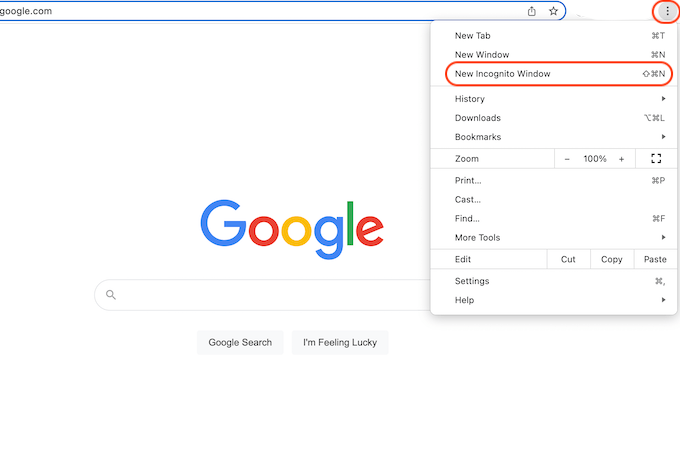
You can also click the three vertical dots in Chrome and select New Incognito Window. If you use Google while signed in, consider signing out or using a different browser profile for this audit.
Search Google and Google Images
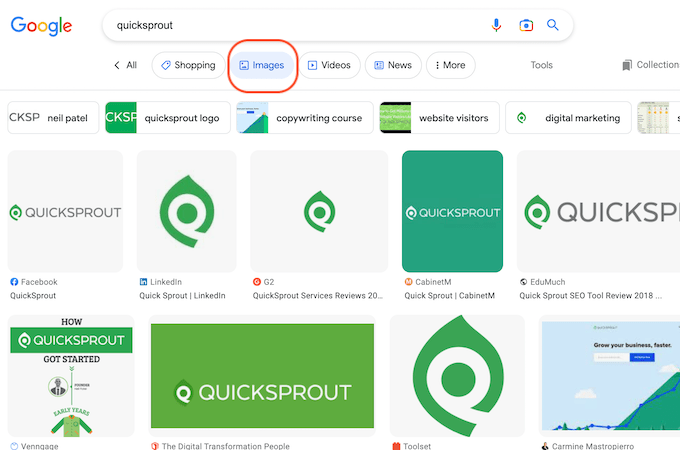
Don’t stop at standard results—check Images for profile photos, screenshots, and scans, which are often surfaced differently. Review at least the first three pages of results in each tab to gauge scope. Also glance at the Videos and News tabs; names and identifiers frequently appear there.
As you scan, save URLs you may want to remove. A simple spreadsheet with columns for the URL, site owner, what’s exposed, and next action will keep you organized.
It’s a few extra minutes now, but it pays off when you start filing removal requests.
Step 2: Delete Information From Web Pages You Control
Start where you have authority. Clean up or delete sensitive details on sites and profiles you manage. Here’s how to think about the most common places:
Social Media
Social platforms amplify reach, so sensitive posts spread fast. If an account is the source of exposure, consider deactivating it—at least temporarily—until you’ve removed problematic posts and images. This applies to Facebook, Instagram, X (formerly Twitter), TikTok, Pinterest, Snapchat, and others.
If deactivation isn’t feasible, set profiles to private where possible, prune old posts, and remove exposed details (addresses, phone numbers, IDs). On Facebook, for example, you can reduce how your profile appears in Search by adjusting privacy settings so search engines don’t link to your profile.
On Facebook specifically, you can:
- Click the down-facing arrow (or your profile picture) in the top right of Facebook.
- Select Settings & Privacy, then click Settings.
- In the left column, click Privacy.
- Click Edit next to Do you want search engines outside of Facebook to link to your profile?
- Review and set the preference you want.
Website Domains
If you own a website, log in and remove or redact sensitive content. Replace exposed details with a contact form or PO box as needed, and update any media or PDFs that embed personal data.
No longer have access? Contact your domain or site administrator to regain it. Be prepared to verify your identity before changes are granted.
Blogs
On platforms like WordPress, HubSpot, Blogger, Weebly, or Wix, sign in and edit or delete the affected posts and media. If multiple people manage the blog, communicate your plan so no one re-publishes sensitive content later.
When possible, update the post instead of deleting it outright so you preserve SEO value without exposing personal data.
Professional Profiles
Sites like LinkedIn often rank highly and show your picture, location, and work history. If you don’t want those details public, edit what’s visible or turn off your public profile. The same applies to digital-résumé sites like Indeed or Monster—remove the profile or limit what’s exposed.
After edits, keep a list of URLs to request faster updates in Google’s results.
Step 3: Contact Webmasters From Sites You Don’t Control
When the content lives on a site you don’t own, ask the site owner (webmaster) to remove it at the source. That’s the only way to eliminate it everywhere—not just in Google’s results.
Even if Google hides a result, the page may remain visible via direct links, social shares, or other search engines. Removal at the source solves that.
Use these approaches to find the right contact:
Find Contact Information on a Website
Look for “Contact,” “About,” or staff pages. Whenever possible, email a person (editor, writer, or publisher) instead of a generic inbox—personal outreach tends to get faster action.
Be concise, polite, and specific about the URLs and the information you want removed. If consent was not given for publication, explain that clearly.
If you can’t find a direct email, the site’s general contact form is better than nothing—use it as a fallback.
Find Contact Information Using Whois
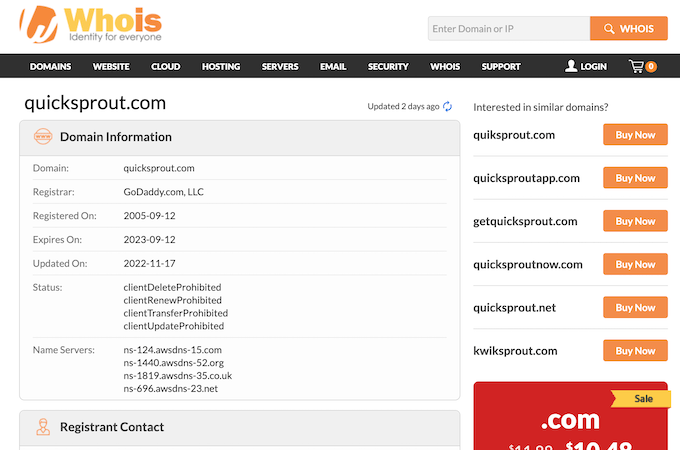
If contact details aren’t listed, check the domain’s WHOIS/RDAP record or the registrar’s contact channel. Note: since GDPR, many WHOIS records redact personal registrant info by default, so you may need to use the registrar’s or host’s abuse/report form instead.
Contact the Site’s Hosting Company
If you can’t reach the owner, check the host listed in WHOIS/RDAP or via a hosting-checker tool and contact the provider. This is a last resort and often slower, but hosts may act on violations of their terms (for example, doxxing or illegal content).
Be ready to provide exact URLs, screenshots, and a clear explanation of the issue.
Hire a Reputation Management Company
If the scope is large, an ORM company can inventory exposures, manage outreach to site owners, and file removal requests at scale.
They can also de-index pages from Google where policy permits. The content may still exist on the web, but delisting effectively removes it from search visibility.
Not sure where to start? Here are the best online reputation management companies with solid track records and approachable pricing.
Step 4: Contact Google
If you can’t get a site owner to cooperate—or you’re locked out of an account—submit a removal request to Google. Google will hide certain types of content from Search when it poses risks like identity theft, financial fraud, or harassment, or when it matches other protected categories.
Here’s what to know about Google’s process:
Types of Removals Available
Google accepts requests for specific categories, including:
- Personally identifiable information (PII) and doxxing content (for example, contact info paired with threats or large, unnecessary data dumps)
- Non-consensual explicit images and involuntary fake explicit images (deepfakes)
- Content about you on sites with exploitative removal practices (pay-to-remove)
- Images of minors
- Pages that wrongly associate your name with sexual content
You can request removals directly from Search using the three-dot menu (Remove result) or submit them from the Results about you hub. Prepare the exact URLs (and image links where applicable).
Outdated Content
If a page has been updated or deleted but Google still shows the old snippet or cached content, use Google’s Refresh Outdated Content tool so Search reflects the current version.
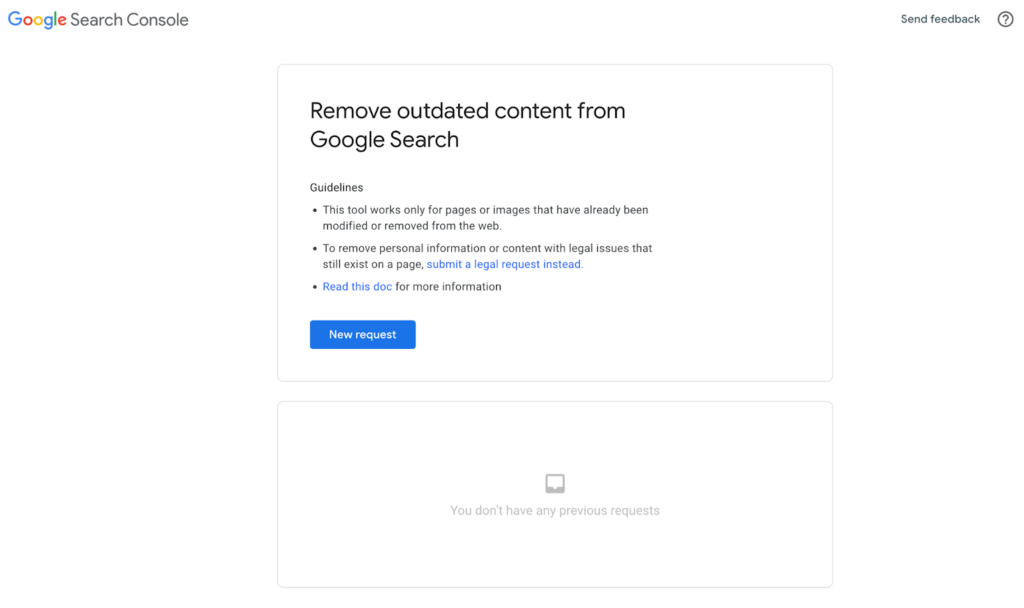
Only use this for truly outdated or removed content. It’s not the right option if:
- You believe the information is inaccurate, harmful, or illegal (use the appropriate legal or policy form instead)
- You’re a verified owner of the page (request a recrawl or use the Removals tool in Search Console)
- You want to permanently remove a public URL from Search (use other removal options)
- You need Google to recrawl a page that’s still live (submit a recrawl request instead)
- The information still appears on the current live page (outdated-content requests will be denied)
Removing Content For Legal Reasons
If the issue is legal—like defamation, court orders, IP infringement, malware, phishing, or abusive/explicit material—use Google’s legal request flow. Provide precise URLs and documentation so reviewers can act quickly.
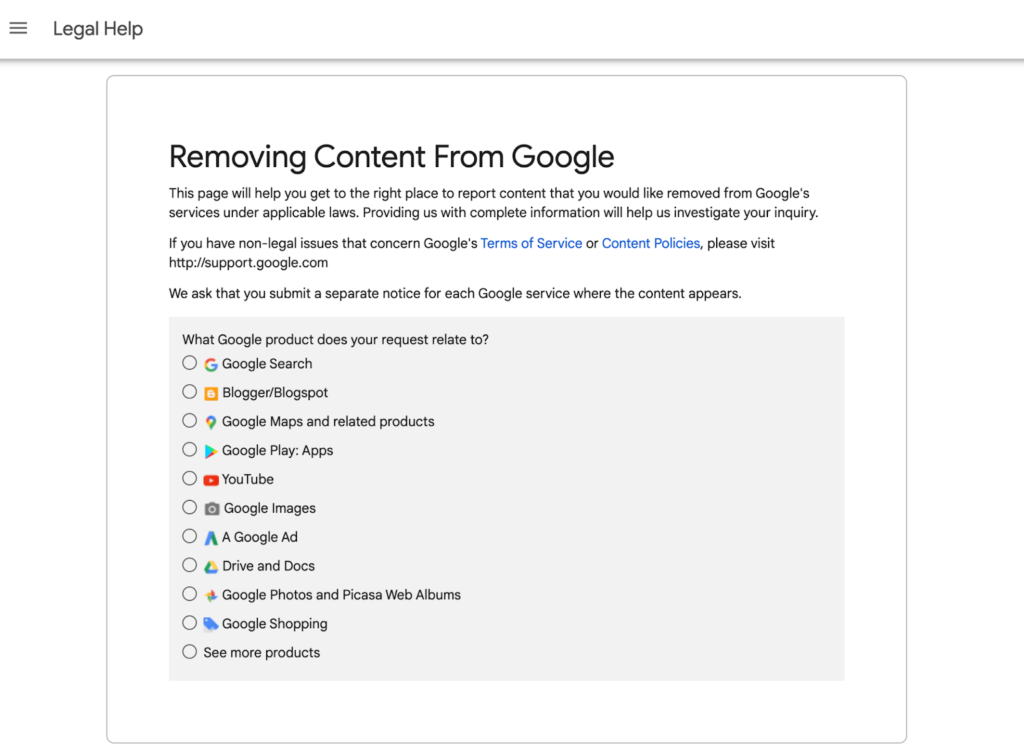
Remember: removing from Google Search hides results; it doesn’t delete the content from the web. When possible, pair a Google request with source-level removal.
Step 5: Delete Information From Collection Sites
This step is tedious but worthwhile. You won’t erase every trace of your data, but you can dramatically reduce what’s publicly accessible.
Identify people-search and data-broker sites that list you, then submit their opt-out forms to remove your profiles.
Find Data Collection Websites on Google
Search for people-search and data-broker companies and build a checklist. Start with well-known services like Spokeo, Radaris, Whitepages, Intelius, MyLife, and BeenVerified. Consider an online reputation monitoring tool if you want automation.
Opt-Out
If you’re doing this yourself, it’s absolutely doable. Use your list and visit each site’s opt-out page (usually linked in the footer). If you can’t find it, search “[site name] opt out” or check the site’s privacy policy—some brokers hide the link.
Here’s the general flow on Spokeo as an example:
- Search for your profile on Spokeo.com.
- Open your profile from the results and copy the URL (no registration or payment needed for the high-level listing).
- Go to the opt-out page.
- Paste your URL, add your email, complete the CAPTCHA, and click Remove This Listing.
Spokeo will send a verification email—click the link to finish. Most brokers follow a similar pattern.
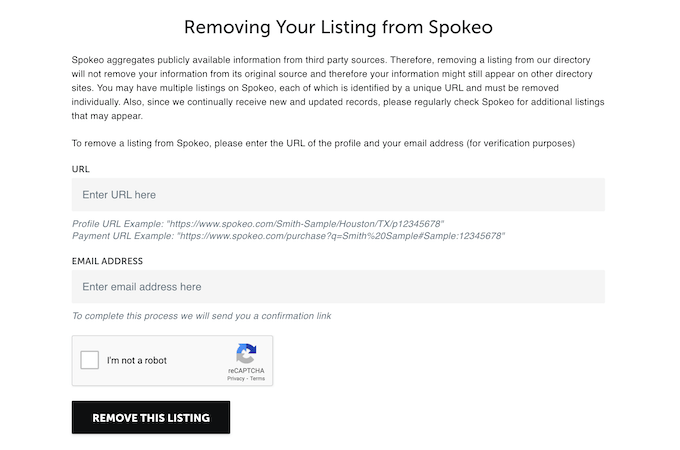
Most removals take 1–2 weeks to process. Calendar a follow-up to confirm your profile is gone, and re-submit if necessary.
Step 6: Monitor Your Personal Information
Removing information once doesn’t stop it from reappearing. Keep watch so you can act quickly if something new surfaces—or if a broker relists you.
Set up always-on monitoring and build a light routine to review alerts and file new requests.
Set Up Alerts
Use Google Alerts for your name, business, and common variations. Choose real-time, daily, or weekly emails and limit sources if you want fewer notifications. The Results about you dashboard can also scan for new appearances of your personal info and streamline removal requests.
For added peace of mind, consider running periodic dark-web exposure checks so you can reset credentials and reduce risk if a breach exposed your data.
If you’re working with an ORM service, many include proactive monitoring and will file or escalate requests automatically.
Consider Legal Action
If the same site keeps reposting your details or refuses reasonable removal requests, discuss your options with an attorney. Legal routes can be effective in specific cases (for example, provably false statements with damages), but they’re costly and slow—often a formal letter from counsel is enough to prompt compliance.
Sue only when the facts and stakes justify it. Often, a precise, well-documented request plus steady follow-up will get you to the same outcome faster.
When in doubt, consult a lawyer before pursuing legal action.
Need help? Here are the best online reputation management companies with solid track records.