Over the past few years I worked with 30 of the top 100 blogs to help them increase their traffic. The thing that all of these blogs have in common is that they have great content. But one thing that most of these blogs didn’t do right is leverage search engines.
Search engine optimization doesn’t have to be complicated. As long as you follow the instructions below, you can optimize your blog within 30 minutes.
Title Tags

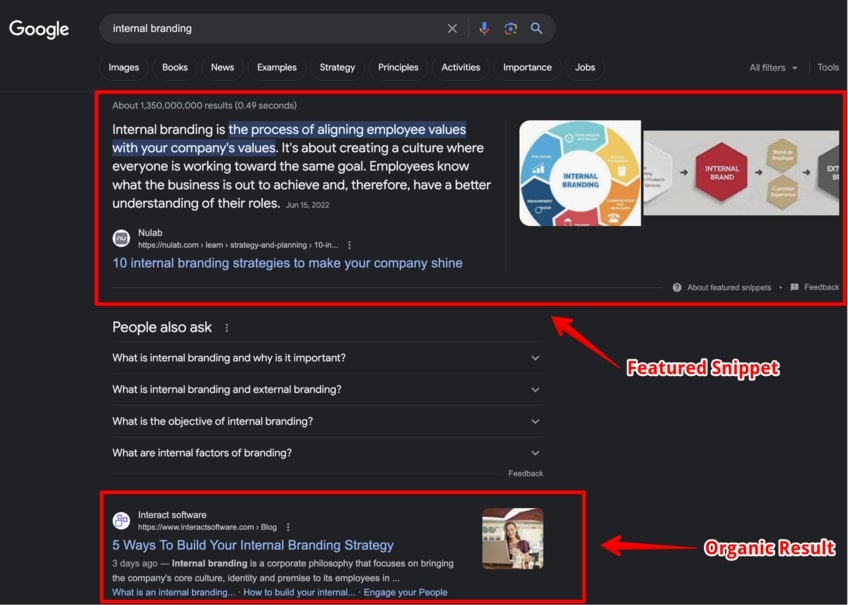
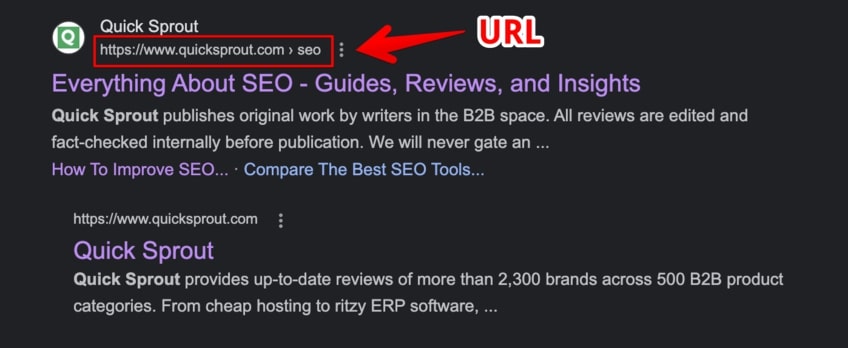
You may not know what a title tag is, but you have seen it. Every time you perform a Google search, websites with relevant title tags usually so up towards the top of the page. For example, I searched for the term “Neil” in the image above. Most of the results have the word “Neil” in the title tag. This means that if you want to rank for a specific term, it should be in your title tag.
Take a look at your blog’s source code, the title tag will be close to the top and it will look something like this: <title>Quick Sprout – I’m Kind of a Big Deal</title>. Ideally your title tags should be descriptive, short, unique, and somewhat keyword rich. With a blog though, the title tag of each page is the title of your blog post, but this doesn’t mean you can’t optimize it.
WordPress
If you have a WordPress blog go into your header file and replace your title tag code with this:
<title><?php if (is_home () ) { bloginfo(‘name’); } elseif ( is_category() ) { single_cat_title(); echo ” – “; bloginfo(‘name’); } elseif (is_single() || is_page() ) { single_post_title(); } elseif (is_search() ) { bloginfo(‘name’); echo ” search results: “; echo wp_specialchars($s); } else { wp_title(”,true); } ?></title>
Movable Type
If you have a Movable Type blog, replace your title tag code with this:
<title><$MTEntryTitle$></title>
Meta Description

If you look at the image above, you will get a good understanding of what a meta description is. A meta description is a short sentence that describes what a web page is about. Each meta description tag on your blog should be unique, short, and descriptive.
Writing a unique meta description for each of your blog posts can be time consuming, which is why I recommend making the first sentence of each of your blog posts your meta description.
WordPress
The Head Meta Description plugin automatically adds a unique meta description tag to each of your blog posts. Just download it, upload it to your server, active it, and set it to 25 words.
Movable Type
I don’t know of any plugins that do the same on Movable Type, but through your post template code you can do the same thing. Just add this line of code:
<meta name=”description” content=”<$MTEntryBody words=”25″$> …” />
Sitemaps
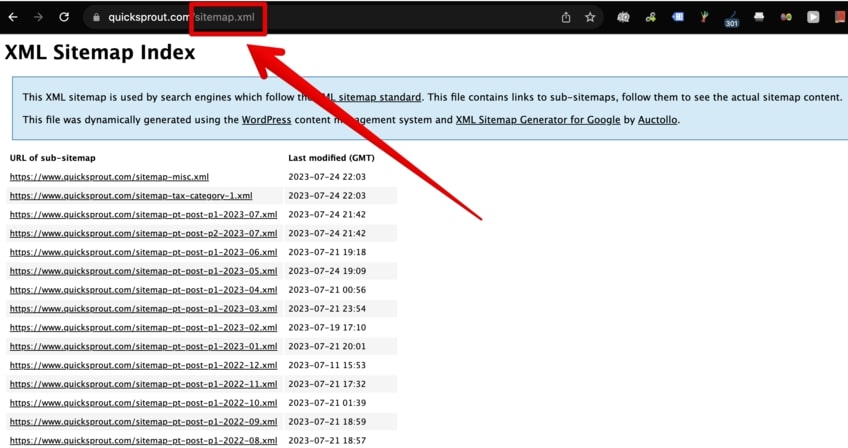
You could create an HTML sitemap on your blog to increase the number of pages search engines index, or you could create an XML sitemap. I personally recommend going the route of creating an XML sitemap and submitting it to the search engines.
After you create your XML sitemap you can submit it to Google Webmaster Central, Yahoo Site Explorer, and Live Search.
301 Redirect
Some people have a tendency to link to http://yourdomain.com and others tend to link to http://www.youdomain.com. Both of those URLs may look the same, but one contains a www and the other doesn’t. So if 100 websites link to the non-www version and 1000 websites links to the www version, search engines may see both of those URLs as separate pages even though they are the same site.
You can solve this by adding a 301 redirect in your htaccess file.
Options +FollowSymLinks
RewriteEngine On
RewriteCond %{HTTP_Host} ^YOURDOMAIN.com [NC]
RewriteRule ^(.*)$ http://www.YOURDOMAIN.com/$1 [L,R=301]
Another way you can solve this is through Google Webmaster Central. In Webmaster Central (under the settings tab) you can tell Google to pick the www or non-www version of your domain. Although this is an easier solution than modifying your htaccess file, you should still do both because Google Webmaster Central doesn’t affect how other search engines see your blog.
Duplicate Content
If the same piece of content is on more than 1 page of your blog, you will have duplicate content issues. The more duplicate content you have on your blog, the less search engine traffic you will get. In most cases the same piece of content will be on your home page, the post page, and in your category achieves. Here is how you can get rid of your duplicate content:
PageRank Sculpting
If you have the Google Toolbar installed on your computer, you probably know what PageRank is. If you don’t, it is a numerical value from 1 to 10 that websites get. 1 means that a website isn’t that important and 10 means that a website is very important.
A good way to increase your Google PageRank is to control your links. If you have too many links on a web page, that page’s PageRank can decrease. Now this doesn’t mean having ten or twenty links on a page is going to hurt you, or that you shouldn’t link to other sites. In other words, you should not link out to 1000 other pages when it doesn’t provide any value to a user. A good way to solve this problem is to “nofollow” links.
Nofollow is an HTML attribute value used to instruct search engines that a hyperlink should not influence a web pages ranking. The code you can use to nofollow certain link is:
rel=”nofollow”
The links I recommend nofollowing on your blog are things like contact pages, terms of service, comment links, privacy policy, and read more links. You can pretty much nofollow the second instance of any duplicate link on a given page.
Image Search
People don’t just search for web pages, they also search for images. Search engines aren’t smart enough to decrypt an image and tell you what it is, like humans can. But through code you can help a search engine figure out what keywords your images are related too.
You can optimize your images through 5 easy steps:
- Enable image Labeler in Google Webmaster Central. (you can find it under the settings tab)
- Give meaningful names to your images. For example, GreenToyotaCamry.jpg is better than image1.jpg.
- Add long description tags to your images. For example: longdesc=”1998 green Toyota Camry driving down the highway”.
- In addition to a long description, an alt tag should be used as a short description. For example: alt=”Toyota Camry”
- Lastly, you want to upload big images. Bigger images usually have a higher priority than smaller images.
Conclusion
After you do all of these changes, your search engine traffic should increase. Just be patient because it could take a few weeks before you start seeing any increases in traffic. If you have a brand new blog, don’t expect to get much search engine traffic. It can take months before you start getting a lot of search engine love.
If you have any questions, feel free to post a comment.

This amazing course will teach you, step by step, how to double if not triple your traffic over the next 30 days.


Thanks Neil! This is just what I needed.
No problem. Let me know if you need any help optimizing your blog.
Neil,
Does this process work for hosted WP blogs also?
Thus blogs using the sub domain name of WP and are hosted on WP servers.
Not really because there is less flexibility. Some of this stuff may work, but not all.
Why not get your own domain and install the wordpress in it. If you want free blogging platform, you can opt to blogger. At least, it allows you to use javascript to place some ads.
That is what I do. I hate using WordPress.com because then things aren’t in your control.
I agree as cheap as domains and hosting are I do not see why people don’t just start a blog where they can market the name and have a lot more control over everything. I have seen people build blogs up on both Blogger and WordPress.com just to be deleted because they violated a small TOS.
For some people, they are just lazy or don’t care to start one.
I’m with you on this one. I don’t know why people bother to use the free hosting services. It’s so easy to get your own domain and hosting, don’t tie yourself down with their limited options
Yep, they suck. Always pay for hosting.
If I use a shared hosting with 40 other domains with low or no PR, will it stop my progress too. I want to use hosting in india, i have domain at hostcats.com but many friends recommended me to go for godaddy domains. What is your suggestion for this?
No, you should be fine. Just don’t try to manipulate search engines by linking all of those sites together.
Neil,
I have just started working online and making blogs. I have done a little bit of work and now im a mess. Now I dont know what should I do to make a few blogs and monetize them for some income. I am asking for any kind of help that will help me get started in the business.
yea really if you comment on high PR blog So your site we be get more traffic. One more think i want to share with all My seo Friend, image searching also one good way to get high traffic but it’s should not be showing PHP in image searching. according to me.
These blogs app now come with standard plugins that generate title, description and other stuff and you can even customize the same and have it published and also you have version tracking to check the performance of title, description ans so on…
http://dabberdesign.com
-
I still feel it is better to make those changes manually.
While they have SEO plugins that can improve this, it’s still good to make sure you can customize it with the terms you want to really optimize it.
That’s right. You always want to do the manually stuff.
One big thing I noticed that was left out was blogger,
This website helped alot with Meta tags for blogger http://www.blogspottutorial.com/2009/04/optimizing-meta-tag-for-blogger.html and this website helped alot with titles http://searchmarketingblogonline.blogspot.com/2008/01/optimizing-title-tags-in-blogger.html
Thank. It’s very good article
Glad you found Marcus’s article helpful.
Hello. Good article. I just start work for my site and it’s very informative for me. Now i’ll try to do good archive with yours advices! Thnx a lot.
Good to know that the article was informative and useful to you.
Another great post! Thanks for sharing some of your SEO knowledge.
Thanks Phelan. You should start a blog if you haven’t already.
Neil,
I have a few blogs on some other topics actually. Just waiting to change hosting for my main company before I set the one up for that. It IS time to get it going though.
Link me up with your blogs.
Will do. Give me a bit…backed up with web work and design requests.
No problem. And if you don’t want it public you can email me the URL.
Great post man. I have always wondered how you doubled Techcrunch’s traffic in 2 weeks. I am sure this is part of that.
I doubled their search traffic. Doubling their traffic in 2 weeks would be really hard.
Oh ok..lol..Just forget the search word in front of traffic.
No problem. Over time I probably doubled their traffic, but I would have to double check.
That’s the power of search engines. If you can boost a persons ranking on them, you can make such a tremendous difference with their traffic.
Search engines drive TONS of traffic. You can build businesses from SEO traffic.
Martin search traffic is soooo amazing. It’s automated, targeted, and of extreme high quality. I run a many of my business where most all my traffic is from search.
What… that’s crazy! I didn’t know that. Freaking awesome. That’s a nice medal to wear. lol
Thanks! Over 5 years of consulting, you sooner or later do some cool stuff. Or at least I hope you do.
Yeah man. I am new in this game of blogging and trying to get into consulting. What’s the key to do well in consulting? How do you land potential customers Neil? I am planning on consulting in accounting.
I used to cold call until I got a few clients. Once I got a few clients, the rest came from referrals.
That’s because you did a great job. That can’t be over looked. Referrals are the best type of new business, but you can’t get a lot referrals if you don’t earn them and ask for them.
You can, I got most of mine without asking for them. If you do a good job, you will naturally get them.
Right…it makes it fun and worth it.
In most cases it does, but like any other business, you will have your ups and downs.
Neil, this one is a classic, I’m going to be passing it all around the web and linking to it soon. I like when you have more free time
Thanks! I will get back to you soon on the competition analysis.
Great post. For WordPress blogs, I think the All-in-one SEO plugin is a must have. It helps you easily optimize the title tags and also the meta description of individual posts.
Yea, there are a lot of good plugins. I just wish the “all in one” plugins did everything you needed.
I just installed the All-in-one SEO plugin. I will give it some time and see what type of results it brings.
This is a PHENOMENAL plugin. Don’t forget to check the settings of it also and change the info about the blog as a whole, then it also has a option below every post in admin that you can input Title, Description, and keywords.
It’s a handy little thing. You can also disable the plugin for particular post and pages. But it will still work for other post. It’s awesome…I think.
Thanks for the tip.
I’ve installed the plugin but never realized the amount of things you were supposed to do with it. Thanks for the tips, I’m going to check it out on mine now
No problem. Best of luck!
Let me know how the plugin works out for you.
All in one SEO helps a lot. It’s been known as one of the plugins you should have installed on your blog from day one.
I’ll try it out.
Love this post! Great job of explaining the “why” and “how” in a way newbies can understand and experienced bloggers can relate to. Definitely one to bookmark and share!
I’m first starting to focus on improving my blog’s SEO – thank you for making it so easy to know where to start
Hopefully incorporating these suggestions – and migrating to the Thesis theme – should make a significant difference.
Appreciate you taking the time to share this with us all!
Let me know if you run into any problems.
Neil i have a big website with many more then 15k pages … in few months the crawled pages google used to show was around 10k and from last week its getting lesser n lesser … every 2 to 3 days there is a decrease of 1 or 2 k pages indexed in G.
i have xml sitemap prepared on the site too … but m not getting whats the prob … i think u can help me out or help me our with ur suggestion
Yahoo Site Explorer has indexed 5,992 or your pages… and says you have 11,398 inlinks, but most are from your own domain.
I was looking for your site map, and even did a “control f” to find it on the page, I don’t see you linking to it from your home page.
I was going to take a look at your site structure from there to see your internal linking strategy.
Also (And Obviously Neil Will Shed Some Light On This) but you have too many keywords in your title on your home page.
It brings the density down and makes each keyword worth a little less. Focus first on the 2 or 3 keyword phrases that are most important to you and have the most opportunity to bring you a lot of targeted traffic. Not the most competitive ones, but not bottom feeders either. 2nd tier keywords.
Your first keyword in your title is a good one to start with for the home page. “Used trucks for sale by owner”… Google says there are 1,000 “exact” phrase match searches for this phrase every month, but you could dominate this keyword quickly and then move on to other similar phases like “trucks for sale by owner” another 1,000 then “used trucks for sale” 12,100 exact match searches a month, and the big kahuna “trucks for sale” 33,100. That’s just some quick late night ideas. lol
Then you could also rank sub pages for your other keywords in a similar fashion & even go after less competitive phrases but targeted with lots of traffic upside that have the exact truck manufacturer or trailer maker names.
I looked at your incoming links, my report says that you have 41, but no real consistency with “anchor text” for your major keywords except “used trucks” shows up a few times.
You were saying that you have over 15k pages on the domain, is the content unique? If not try to add some more unique content. It is possible to get traffic and ranking with duplicate content, but most of the time that’s not the case.
If you have more unique content on your domain you will be seen more as authority by the Google and Yahoo and they will reward you for it with better rankings. (Like with Neils Blog here.
Ok, that comment was super long. Anyway, hope this helps, and Neil the man, will tell you what I missed and where I was wrong. lol. It’s alright Neil ; )
WOW, thanks for providing a very detailed response.
very much Thankful to ur response … its very clear with me now … but only one confusion i have :-
u said to target first “Used trucks for sale by owner” thats right and then make it shorter once the rankings come …. do u mean changing the title of homepage everytime after getting those rankings ? like if i keep 4 words keywords now.. after i get the rankings then shorten it to 3 words on my site title ? or u mean to get backlinks from long tail first and then go with the same process shortening it?
Oh yeah sorry about that. What I mean to leave your title the same, but the links that are coming in (backlinks) should start to target the different phrases because you title still has those keywords in it too.
Your title could still be “Used Trucks For Sale By Owner | Second Keyword Phrase Here” then at first you’ll target used “trucks for sale by owner”, then when you start to after the next keyword phrase like lets say “trucks for sale by owner” you will already have a head start.
Quick note: Capitalize the first letter like so that it looks better in the search engines when you do rank. It’s not just important to get ranked but to get clicks when you are.
See, when you were building links for that first phrase you had these keywords in there too. Every now and again though get a link for a different phrase just for the sake of not being to “perfect” in Google’s eyes. Get a link like “cool trucks for sale” or “truck trader”.
But 90% of your links should be targeted to what you want to rank for. Also you’ll need to monitor these rankings with a piece of software and monitor where your traffic is coming from.
Make sure you have the keywords you want to rank for sprinkled through out the page and if you can in a header tag.
Then a quick side note, you can repeat this process on every sub category and individual page that you want to rank for. For instance: I noticed that you have Heavy Duty Trucks as one of your sub categories.
Google says that that phrase is searched for 14,800 times as a broad match, and 2,900 times as an exact match. You are smartly targeting Used Heavy Duty Trucks on that page, but have 1 or 2 too many other keywords in the title. But you can start getting links to that sub category page that say “used heavy duty trucks” then “heavy duty trucks”. And that page will start to rank by it self for that keyword.
See, you are trying to dominate you market. Pretty soon you’ll be seen as an authority and it will make it easier.
Also if you can, try add a little content on those pages…just another 100-200 words if you can with a keyword or 2 in there.
I saw that you have a blog on there. Cool. Blog once a week, with some good interesting info or news and then link to your homepage, sub categories, and individual pages with “anchored” links. This will help with internal linking and help the search engines know what that pages is about.
That site map is important. The further that pages get away from your homepages, the less that the link juice is passed on. So, the site map can be linked to from your home page, getting a lot of juice, then from their you can link to your sub category pages and to your blog and other major important pages.
Ok, this is waaaay to long. But I hope that it helps, once again Neil will share with you were I missed it.
Thanks for chiming in!
Your site doesn’t have that many links. Start a link building campaign… once you have many more links, more pages will be indexed.
True, it doesn’t have very many links. Get those links to the homepage and to sub category pages.
Also this won’t work if you don’t consistently stay at it. If you’re are going to give up in a month then don’t even start.
Go and see who is ranked where you want to be, find out how many links they have coming in (analyze them) and get that many links coming in with the same quality and then do a little better and you will rank right where they are.
As a matter of fact, go to the same places that they are getting there links from and try to get a link from them…obviously the people linking to them get and understand linking so you won’t have to convince them of the power of it.
lol
I think links are the best way to get that site traffic.
Analyzing to people at the top of where you want to be is a great idea. I guess I just need to figure out where I want to be.
Yep, you can always analyze your competitors backlinks and SEO.
Could you please post the link to your sitemap?
Pages can be de-indexed most often due to duplicate content or having no backlinks (including pages that were previously linked to, but are no longer).
I don’t have a sitemap for this blog.
That was directed at “Truck Trader”.
Ah, I missed that part. Sorry
What is movable type ?
What is source code ?
Search Engine Index ?
XML ?
All words are new to me as I am a begineer and I have to search all such difficult words to understand the post which is difficult.
You have come to the right place to learn the meanings of these words. Neil knows what he is talking about.
Thanks Vik! That means a lot coming from you.
Movable Type is a blogging platform.
http://www.youtube.com/watch?v=vP60FSPXSHk
Search engine index is the web pages listed in a search engine.
http://en.wikipedia.org/wiki/XML
I agree that the title is important; I also think that web page validity, accessibility and user friendliness is important also, here is an article I wrote on accessibility. If your page is not accessible it will not be visible to search engines.
http://www.dashaver.com/web-page-accessibility
I’ll check it out.
Good tips, as much as I agree and promote access to people of all abilities, some research has indicated valid markup and similar issues are not very important in terms of ranking.
User friendliness in not an easily measurable ranking element, however pages should definitely be built and designed to be read by people, not search bots.
Bots should always come after people. Most of the popular blogs on the web do really well because they are made for people and not bots.
Absolutely. It doesn’t matter if you’re #1, If your site is hard to follow no one will stay.
That’s right. You have to look at the usability of a site as well.
Hi Neil,
How does google handle duplciate content on ecommerce websites when you put a product in multiple categories?
regards
Chris
Same way as any other type of site. Duplicate content is never a good thing.
It all depends. It’s all about how similar one page is compared to another. If two category pages contain 100% same text, then be wary. If the 2 categories contains 10 products, but only 1 is identical on both products, then I wouldnt be too worried. Also take into consideration mulitple pages with no/little text, except perhaps in the menu/template. These will be considered duplicate.
The more unique each page is, the better.
Good point about pages with little content.
I think”nofollow links” willbe usefull to solve my problems.This is really what I need.I hope I willbe taught something new next time as well.
But Neil is not saying that you shouldn’t link to other people or that every link that you link with has to be no follow. Imagine if everyone did that? That’s not the natural flow of the Internet or the “Web”. Don’t be afraid to link out. Just be careful and use them wisely.
That is right. You should be very generous and link out all the time. I do it with Quick Sprout.
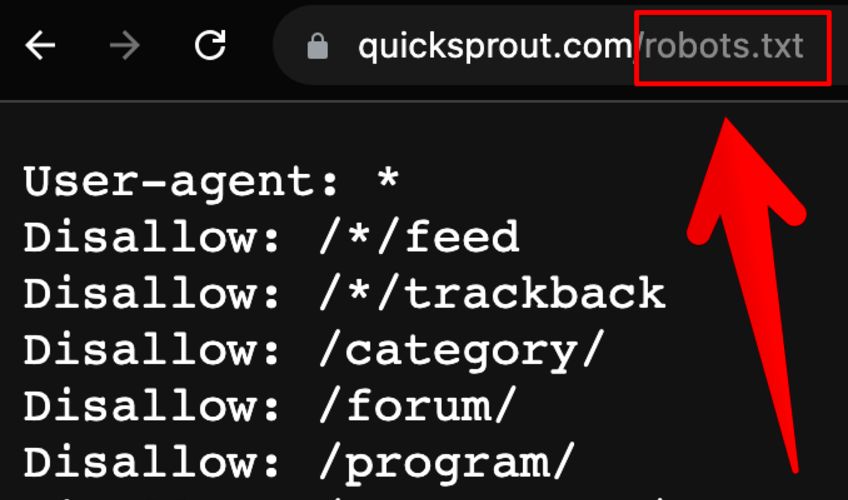
Also make sure you use your robots.txt file.
Oh yeah…don’t forget about that.
And remember that the site map that you have for your blog is different than the one for your “site”.
That’s right. You don’t want to use the XML version on your website. Good catch!
many points missed. But so far that you told is great. Good Luck.
I am not sure what you mean by “many points missed”. If you feel I missed something, let me know and I will revise the article.
I was thinking the same thing. We’re always here to learn some more…
Yep, if I do something wrong, I don’t mind admitting it and learning from it. It is the best way to grow.
Some useful tips here, thanks a lot!
No problem. Best of luck optimizing your blog.
Wow, Amazing stuff. Really I love your plans and strategies that will easily generate traffic to our websites. Thank you
You probably don’t need them though.
Blogger/Blogspot is terrible for SEO.
It can be done, just not to full potential, in the same way you can drive a car with no steering wheel.
WordPress has much better control of the features.
Privately hosted pages using WP are even better.
WordPress is awesome, I use it, and it makes my life easier, but that doesn’t mean that you can’t rank well with blogger blogs…on the contrary my dear friend.
Do a search for make money online… one of the toughest niches online. The #1 spot moneymakerinfo.blogspot com and usually I see makemoneyforbeginner.blogspot com their for #1, but as of this comment he’s holding down the #1 spot for how to make money.
Either way…You can rank really well with ugly or cute blogger blogs, and for a long time many of us thought that Google favored these blogs in the search engines. Not thought of so much anymore (well). LOL
Solid onsite linking structure and quality incoming links with anchor text of the keyword you want to rank well for.
thanks for pointing out that blogger can be used effectively.
Same with MySpace, Bebo, and any other powerful domain.
So, true. I just think that we can get so caught up in the things that don’t matter. If you REALLY want this thing (success) you can find it. No excuses. But you have to want it, and not let the small stuff stop you from getting it, what you want, what you dream.
That’s right, you need the drive! http://www.quicksprout.com/2008/09/29/only-you-know-how-to-get-yourself-off/
Myspace panges rank well however:
Not only are myspace links nofollow, they have that invasive message that you are now leaving the page. Those spammers ruined it for the half decent people.
Myspace/FOX has a habit of suing people who advertise on their network. If you have a spare 3 hours read their signup terms and conditions.
For each unauthorised ad (promoting your live band gigs could be construed as an ad) you send to each person, you are agreeing they can “legally” charge you (some ridiculous amount that escapes me right now) per ad.
I still get all the spam, but now all the interesting businesses are gone.
I was lovin’ Myspace until they did that. But they are still a solid networking site and you can get great traffic from site alone.
It is one of the most popular sites on the web.
But you can use your MySpace page to make money if it has good rankings. You just have to get creative on how to monetize that traffic due to the limitations.
There are ways to use blogger, but if you want to make a good living from a blog, WordPress gives you more flexibility.
Yeah no doubt about that. It’s awesome in so many ways. Having used both, I would probably never change, unless there were some Major changes by blogger or a new platform, even still I am happy and have gotten over the learning curve. lol
I don’t think they will ever make Blogger that flexible. It is a basic platform for beginners.
I think so too. I think that they pride them selves on having an easy platform for beginners. I see a lot of advertising that they do trying to reach this market.
Also they it seems they just want to KISS blogging…LOL.
That’s right. They keep in simple on purpose. They could make it complicated, but that isn’t the purpose of Blogger.
Yes you can certainly rank #1 and be a success, but it is harder to do thats all.
As you mentioned- link structure. That is not easily managed with Blogger, which is the root of several other problems (which can be overcome, but again take work):
complete indexing issues and there are also duplicate content issues, much harder to overcome than in WP.
These take little hacks to overcome.
You think Google owning Blogger would mean Blogger had limited dup content issues.
SEO aide Blogger is quite a nice CMS to use
Blogger isn’t bad, but I would even use Movable Type before I used blogger.
You know I have never tried them. To late now though… I am in love with a girl named W.P.
There is no need to try other platforms. I have tried a lot of them and WordPress is the best.
WordPress is definitely the best, but I think I might start working on my own for my own use. Since WordPress is getting very popular, it seems to be a big target for spammers and hackers (I’ve had quite a few attempts on my blog with one being successful). Plus working on my own will freshen up my PHP a bit more.
Yep, there is no other blogging solution better than WordPress.
Yep, WordPress is the best platform out there.
Really Nice Info given Neil. Thanks For Sharing the Information. Neil I have question about the 301 redirect. When I paste 301 redirect code in my site from .httaccess file. But it’s not worth. It’s that any other way to 301 redirect.
Just search for 301 redirect on Google and you will get tons of results explaining how to do it. They will go over how you do it on different server types as well.
Hope that helps.
I want the info about When I the change Meta tag of website in 15 days. then it’s do a positive effect or negative effect.
I am not sure. It could go either way depending what you change them to.
Perfect! I have been bothered by a title tag of my brother’s site for a month now. All of my sites came up correctly whereas his title is the full http… They were all set up through the hosting company I use so I didn’t see any of the code or setup procedures.
I was preparing to site down for a weekend to try and figure out why his was different and get it changed. Thanks.
Thanks for the other tips too. I just launched 5 blogs and those will be great to get implemented from the start.
If you don’t figure it out, let me know.
Good tips Neil.
Thanks! Best of luck with optimizing your blog.
another amazingly helpful post Neil..
already made the excerpt changes to my archive pages (on the site linked above)
you think I should add excerpts to “« Previous Entries” pages listed on the bottom of the homepage?..
ie, this pages like ‘/page/2/’ or ‘/page/3/’
if so, you know how to do?
-peter
I would. I do this with my blog.
nice write up Neil!
Thanks! Although I could probably learn SEO tips from you.
any tips on Meta description plugin for blogger?
have you tried the seo all in one plugin
no I have not, that is a wordpress plug in. I’ve come to a realization that I am going to have to migrate out of Blogger into wordpress since blogger sucks
You should switched to WordPress.
That won’t work for blogger.
I have a build website and it has three boxes of meta; meta title, keywords, and description. Should I be using these and if so what should I put in them?
You don’t need a meta keywords. As for what to put in there, make it relevant to the page.
There aren’t any that I know of.
great post, nice and simple to understand
thanks
Thanks! I was worried it was too complicated.
Awesome summary Neil. I like the quality of your posts since you’ve been retired. A few of these tips I am due to take action on. Thanks.
Did your website traffic go up during the SuperBowl?
How’s business right now Neil? Is the SEO industry still doing pretty well?
It is doing well, but it has been hurt like every other industry.
Again you have hit a great subject and you are sharing some intimate SEO knowledge of yours. Thank you Neil.
You should do these changes on your WordPress blog.
I know you’re a big deal…but I didn’t know that you worked with 30 of the top 100 blogs…sweet.
I am not sure if I am a big deal. Maybe just “kind” of a big deal.
Oh yeah, I wanted to say above that the title is so hugely important for sure, I have changed just the title and seen rankings fall off the first page to 3 or 4 and then come right back just by changing the title. Yahoo and MSN both really see it as extremely important along with BIG G.
Agreed. I did the same on a few posts on Quick Sprout and my traffic increased drastically.
I like to give it try into my cusomized blog,I hope I could give and see the result soon
Within a month or so you probably will.
Thanks for the article. It’s always great to read through tips like these; I find that I get a little bit from each one.
I will try to provide more of them on a regular basis.
I support Michael D’s opinion about high quality of your posts.It is not a compliment I really mean it.And your Seo knowledge strikes me.Every time I clear up some questions and details.
Thanks! I am going to try harder to make each blog post even more detailed.
Recently I have been posting more and more code samples in my blog and wanted to optimize my blog for code snippets . After some searching I found following widgets/tools very useful. And almost all these widgets/tools are related to blogger expect ones like statcounter and PinPoll-n-Ping.
Keep in mind that when you use Statcounter they place code on your site that links back to theirs.
Dear Neil,
I Read This Post And How Can I Explain You How Much Knowledge I Earn Today For Optimize Blog On Search Engine’s,
This Is Really Very Useful Information For New Blogger,
Can You Tell Me Step By Step How Can I Create My Own Blog With All Necessary Precautions,
You Can Mail Me On chirag.rikhav@gmail.com,
I Feel Very Glad To Read It.
I can’t tell you how to do that because for each blog and blogger it is going to be different. It depends on your taste and what your readers want.
I would consider reading http://www.problogger.net.
Excellent post!! I’ve purchased some SEO materials in the past and they weren’t as helpful as this post. Would most of the same steps apply to a regular html/php site? Anything particularly different that should be done with a regular site? You should teach a course on SEO….
Thanks for all your help.
They would. It is the sample principles and same concepts.
Hey Neil,
Thanks for these great tips. I hope you continue to post helpful entries like this as I’m sure there are many of us out there who are clueless about SEO and would greatly appreciate your guidance.
Yea, it is amazing how many people don’t know about it. I always thought most people knew about it, but then again most of my friends are SEOs.
Nice article
I have some problems with changing title in my header. I’m using wordpress 2.7. After doing that, I see only empty page. Home page is normal, but pages of articles are empty. If I try to look at source, it’s just empty. Any ideas?
I’m inserting “” it’s from your blog.
Try copying and pasting the code from here: http://www.pronetadvertising.com/articles/optimizing-your-blog-for-search-engines.html
It worked and I removed one empty space just before closing title tag, now title is perfect. Thank you
I’m fairly new to WordPress… where do I have the option to change HTML so that I can modify my title tag?
Dude, cool post but nothing new…
You’ll be surprised of how many people haven’t implemented the simple things that he is talking about in this post. Even when we know what to do many of us don’t. And if it gets more complicated than this, you’ll really have a drop off of people who do it. Good business should be simple and easily repeatable.
Plus, that just means that in this area you are pretty smart. That’s cool.
It is the basic things that we tend to forget.
This is a great article. Now, when clients ask me about how to better their Search Engine Optimization, I can just send them this post!
Thanks for sharing the blog post!
Hey Neil if you don’t mind me asking are you using a plugin for the subscribe to RSS feed you add in the newest post or is it something you include as you right the post?
I am not sure what you mean. I don’t use any plugins for my RSS feeds.
Hey Neil sorry I wasn’t very clear on that. When you first come to your site you have a sentence that says “First time visiting Quick Sprout? Make sure you subscribe to the RSS feed before you leave!” that links to http://feeds.feedburner.com/Quicksprout but it’s only on the first post and I think only if it’s your first time visiting the site. Is this a plugin or…?
Thanks Neil!
Yea. The plugin is called: What would Seth Godin do.
Thanks, great post. I think I may need to come back a few times to digest and go through all the things you’ve outlined more thoroughly. One thing I would like to add is that when you comment on other blogs, it can lead to more traffic, but this is generally of the more curious type. Just a thought. Thanks again. ProBlogger is one of my favorite and most frequent reads.
Commenting on blogs doesn’t really help with SEO rankings. It is a good thing to do, but don’t do it to increase your rankings.
amazing post Neil! I was actually searching for this info and planning on emailing you for some advice but you were totally ahead of me and helped me and scores of other people!! Thanks for the tips bro!
Glad it helped! Let me know if you have any questions.
thanks for the tips neil….now I’m on top of rel=”nofollow”
No problem. Hopefully this post and my presentation helped you.
Great tips…. I’ve included a few on http://www.pitchcandy.com and now seeing posts appear in google within minutes. Have linked to http://www.quicksprout.com as a thank so expect a further million uniques a day – arf arf
Thanks for the link love!
Neil, just saw your presentation at Startonomics. It was awesome. Look forward to connect,and will email you separately.
Anyhow, I just did an entry on optimizing WordPress for SEO. Check it out if you’d like. Otherwise, just delete the link.
http://scrappymarketing.com/2009/01/seo-101-for-your-wordpress-site-in-7-easy-steps/
Thanks for the link!
What the best way for people to link to me? content? commenting on others?
I’m assuming both?
Yea, both! Get as many links as possible.
Neil,
my website was ranked as the “Don’t set a preferred domain”option…for over 2 months where I’ve had around 4k plus visitors, but a few days ago, I changed it to persuasive.net… and in the last day, I got about 1,000 visitors because of Guy, meaning I got a lot of links but to the domain without the (www).. so should I leave it as persuasive.net or change it to http://www.persuasive.net
because google says “Your page with the highest PageRank”
is http://www.persuasive.net
Thanks
AJ
Either one works. Pick whatever version you like.
This is really great information. A little technical, but hey isn’t that what we need to do it right?
Sadly I wasn’t able to do it without getting technical.
If we apply all the information Neil has given here, we should be in great shape.
Yea, this is the main way to get your blog more search engine love.
Thanks Neil, The 301 redirect is something I have been searching for quite some time now. Will try it out and let you know.
Give it some time to kick in, but it will work.
Neil, thanks a lot for such great post, very useful indeed. I have one question though… I tried to edit my .htaccess file with 301 redirect script (and replaced the domain name with mine) but after I’ve done it there is an error when loading my site… it says
“Firefox has detected that the server is redirecting the request for this address in a way that will never complete”
Any idea why that is happening? I changed it back to normal now…
Thanks a lot!
Weird… I don’t know why it isn’t working.
Have you Googled the error?
yes, I tried to google but not much luck so far…
# BEGIN WordPress
RewriteEngine On
RewriteBase /
RewriteCond %{REQUEST_FILENAME} !-f
RewriteCond %{REQUEST_FILENAME} !-d
RewriteRule . /index.php [L]
# END WordPress
that is what i currently have in the .htaccess file. I think when i add your code, rewrite condition and rule are different… I think that might be the case but not sure how to solve it. btw i am using Thesis 1.4.2 if that helps…
Thanks for your help!
Regards,
Taras
Not sure what to tell you. I wish I knew how to solve it.
Not to worry, i’ll try to ask on some forums or smth. Thanks for sharing such great info anyway!
Best,
T
No problem. Let me know if you have any other questions.
Hey Taras, did you figure this out? I’m having the same problem.
Also be careful when moving or re-designing websites.
I remember the old days when you could type in “matt” into Google and click [I'm feeling lucky] and Matt Mullenweg’s website would load up. He was also the very first link in the search results. Always… His business cards even had a picture of the google search box with “matt” in it and the mouse pointer over [I'm feeling lucky]. (pretty creative)
(Matt Mullenweg = God of WordPress)
Well he changed sites (www.ma.tt now) or Google got PMS or b*tched him the f**k out or something happened but now he’s halfway down the search result page. Gone… Just like that.
How can one go from the very top to half way down the page?! Unless he was sleeping with Google to get to the top and Google became unsatisfied there’s just no explanation.
I would of been like, “Oh hold up HOE! You cheated on me AND threw out all my stuff halfway down the street?!”. All that’s left now is for Matt to spray paint “MotherF****n CHEATER” on Google’s Car.
I know I would….
â–ˆ Kris Tian â–ˆ
Good point! A lot of people lose their traffic after a redesign due to a change in their site structure.
Hey Neil. I enjoyed your lecture yesterday about SEO at startonomics. For the people that didn’t see his powerpoint, he put these links in at the end. I just grabbed the FF plugin and def helping. Thanks for giving back to the community Neil.
http://tools.seobook.com/firefox/seo-for-firefox.html
http://siteexplorer.search.yahoo.com/
http://www.google.com/webmasters/tools
http://www.mattcutts.com/blog/dashes-vs-underscores
No problem. Thanks for adding my presentation links here.
Thanks for the tips. I have been building websites for about 6 months and have managed to get one of my site to #1 in google for its chosen keyword. Quite low competition but still. I have also managed to reach the 1st page of google for 3 seperate keywords on one of my other sites and all of these keywords have over 15million competition. One even has 92million competition.
I love reading these posts about how to make it easier to climb up the rankings. I am currently trying to build links to generate traffic without spending a small fortune as in this day and age money isn’t the easiest thing to come by.
Still a good accomplishment. You should be proud of yourself.
By the way, nice name.
@Neil ~ Are you optimizing your homepage for Ron Burgundy, or are you really just a big deal? I’m getting a strange hankering to watch Anchorman.
Seriously though, I have an question about meta tags. I have a WordPress blog and I run the “platinum seo pack” plug-in to optimize my descriptions and keywords tags. I just realized that my blog posts now have two meta descriptions and keywords tags in every post
If I delete the tags from my homepage, that will fix the posts, but then the homepage will be without. Any ideas what I should do?
It is the name of my book. It hasn’t came out yet, but it will soon.
Not sure, you just have to play around with your code until you only have 1 description.
@Neil ~ Great title for a book and I am sure that I will figure out the title tag issue. I wouldn’t have double checked the title tag if I hadn’t read this post.
Thanks! I just need to finish the damn book.
I figured out the issue that I was having with Platinum SEO. I needed to go into the Platinum SEO settings under settings in WordPress. From there one can edit the description, keywords, and title tag for the blog homepage. My mistake was going into the php and manually changing the meta tags in the header.
Ah. I personally like doing the change manually. I hate those plugins.
I understand that the plugins can be frustrating, but I don’t know any other way to customize the title tags for each page in WordPress. For most of my websites that I build I do manually create unique title and description tags.
I try not to customize them on post pages. Why not just have your title tag the post title?
I love Anchorman! It’s probably my favorite comedy.
Old School is mine.
GREAT POST, but neil if you had already know about 10 SEO plugin, you wouldn’t have to make this post but i can assume that you’re intended to give this tips to all blogger user out there and give a chance for them to optimize the traffic, right?!
Yes because plugins can’t do everything you need done to optimize your blog.
I notice that SEO techniques evolve a lot in what might otherwise seem a field limited by 3rd party technologies like HTMl and the Google algorithm.
2 years ago noone would have tought of putting rel=â€Ânofollow†on links to contact pages or using longdesc for images!
People have been doing this for a long time now. It could be me… but a lot of people knew about this kind of stuff for a while.
Hi,
Very, very useful post – In my case, duplicate content has always been an issue for me, thanks to the advent of autoblogs these days
…
No problem. Hopefully you know how to solve it now.
Excellent post. You should start up a weekly free SEO tip post.
There are a lot of SEO blogs out there. I want to provide unique information.
Neil, thanks for the tips! I own a custom apparel (screen printing and embroidery) and sporting goods business. I decided to use a WordPress powered blog for my company site because it was easier to manage content. I’ve noticed that over the last 3 months, over 60% of my traffic has been from search engines. Now that I’m getting traffic, I’m trying to optimize my content to what I think will convert best to sales!
Thanks again!
Kevin
Chattanooga, TN
No problem. Best of luck with your business!
By the way, you made a smart choice by picking WordPress.
Fantastic post Neil. Some of the tips you said are easier to do with the plugins in wordpress. For example you said 301 redirect, that can be done automatically using the platinum SEO pack.
Ah, that would make life a lot easier. Thanks for sharing.
Neil,
This code does not work
<meta name=â€Âdescription†content=†…†/>
You might want to check it.
I will fix it today. There is a problem with a few extra “spaces” in the code.
In the video he says to change your frequency to daily. That means the the search engines look at it every day, but if you don’t add new content daily wouldn’t that be bad? Doesn’t a search engine look for new content and if it is the same it put you in at a lower number in the search engine?
The other thing was duplicate content, my big question, does having a lot of pages that sale different items on each page, but have a lot of the same information would that be duplicate content?
Not really. If your servers can handle it, why not have the search engines crawl your site on a regular basis.
For example if you have a blog, comments are new content. It doesn’t mean you have to write new blog posts everyday.
Excellent guidelines given here. I have installed All In One SEO but never filled the details in the box before. I will practice to write something in this section for meta and keyword.
Cool, I will check out the plugin.
Great Advice! I’ll need to definately implement on my blog!
You should, you will get more traffic.
Hi Neil,
I found blog made in wordpress definitely rank well in search engines than blogger, joomla or drupal.
Cool, I have had the same experience.
Neil, what do your recommend for 404 pages?
Should I redirect to home page?
Smashing Magazine has some good posts on 404 pages. You should check them out.
Yeah, you can.
Even i’d done already redirected 404 pages to my home page. I just want to keep my visitor on my website that’ y i did it and for me its good practice.
I rather give them a 404 page so they know the page doesn’t exist anymore.
SEO Plays a very Important to blog sites to get more traffic to blog sites Just submit your blog to social bookmarking sites.
That isn’t the only thing you should do, but one thing you should.
As I am in the field of SEO from last few months, I know some of the rules to optimize sites and blogs. I am going to start my own blog in near future, so it is definitely going to help me. But one thing that helped me a lot is conversation between you and Kenney.It gave me some detailed knowledge about SEO, that I am looking for. Another thing, I want to ask you is which is the best site to start my own blog? ( wordpress??)
WordPress by far. Don’t waste your time with the other blogging platforms.
Mike, try to install google.com/analytics code in your blog too. You can monitor referred, direct and search engine traffic to your blog. If your search engine traffic is at sky level high, your SEO is that good.
It doesn’t mean it is always good. It could mean that your website isn’t compelling enough for people to link to it on a regular basis. Or people may visit your website once and never come back, so your direct traffic maybe low.
I have some confusion about movable type. Will you please give us some hints.
Regards.
Let me know where you are specifically having problems.
Hey Neil,
This is an excellent post coming from someone with an authority as you in this industry. I see that you mention use of title, meta descriptions, and you have provided codes to do them. Do you recommend people to use the plugin All in One SEO or do you prefer people use these codes manually?
Would love to hear your response on that.
You can use the plugin, but some things have to be done manually, such as nofollowing certain links.
Very nice article, I’ve been doing a lot of research and small changes here and there on my website and blog and some of the advice from here has definitely shown somewhat of a result. It’s only been a couple weeks, but hopefully it works out and I’ll have more websites to do!
Cool! Give it some more time and the results should get even better.
If you really wanted to optimize your blog for search engines (you’d need some knowledge of HTML/PHP) – You could make the title of each individual post page (single.php) have a H1 tag.
Now on the home page (index.php) you couldn’t do that, because more than one H1 tag diversifies your content, so I’d recommend a H2 tag for the index.php.
Whats your thoughts?
I like the concept, but as you mentioned you need a strong knowledge of PHP. I tried to keep things simple.
Hey Neil, thanks for putting all this into once concise article. I’ve learned the bits from numerous sources but you putting it all together pretty much vaporized my doubts. Hey I know I probably wouldn’t be able to afford you, but I want to grow my traffic just like any other blogger out there, and I’m very serious about it. Do you think you could take a look at my site and at least give me a few pointers? Thanks in advance and I appreciate your work here sharing your expertise with the rest of us!
Sure, email me and I will do so.
@ Brad
Yeah you are absolutely right and without technical knowledge this one become more tough. But however I am learning through googling various terms and so far I am successful.
If you find any websites that describe how to do that, feel free to post a comment with a link.
Hi Neil,
Really an amazing post. Well can you tell me that does adding Categories to a post, help in SEO? If yes, how?
BR,
Shubhamoy
It can help or hurt. If you have full text in your categories, it will create duplicate content.
The URL structure of your blog should filled with words and try to avoid numbers and extraneous characters,Search engines use the page titles in their search results.The headings should represent your blog content, do not stuff tons of keywords within your headings.
You don’t want to add too many keywords in the URL of else it will be too long.
We Have 25b Tips For Optimized Your Blog For Readers
And Search Engines.
01) Dump The Default Template – Looks Count!
02) Just Say No To Bad Color Schemes
03) RSS Me!
04) Offer RSS & Feed Subscription Buttons
05) Offer Posts Via Email
06) Decide On Full Or Partial Feeds
07) Write Compelling Snippets/Descriptions
08) Pay Attention to How You Write.
09) Spelling Counts
10) Fontography Counts
11) Don’t Forget Navigation
12) How Fast is Your Host?
13) Avoid Widget Overload!
14) Have Descriptive Titles
15) Look at your Cascading Style Sheets.
16) Post Often
17) Spread the Link Love
18) Be Aware of Your Anchor Text
19) Create Unique Stories
20) Use a Related Posts Plugin
21) Ping Other Sites
22) Buy Your Own Domain Name
23) Manage Your Trackback & Comment Spam
24) Use a Good URL Structure
25) Use Great Categories
WOW, thanks for adding to the list!
As for number 21, you need to do that a year or two ago, but not anymore.
When you go into SEO more and when you actually start understanding what and how everything works. You realize that a thing like a title tag can make a large difference in click through rates.
Yep. Not only can it increase your search engine rankings, it can increase the click throughs.
If you are not ranking well in the search engines hang in there. Keep posting, keep working on quality content and keep these factors in mind as you do this you’ll find that in time your SE traffic will gradually increase…..
Yep, it takes a while. Patience is the key when it comes to SE traffic.
I am a newbie to SEO and finds this one so amusing. I am very eager to optimize my site because I am into a local SEO contest. But my entry cannot be seen at Google SE. I hope you guys could help me.
I will try and write more SEO content.
Hi Neil! Thanks for this article.
Just pointing out an error in the PageRank section, where you have written “If you don’t, it is a numerical value from 1 to 10 that websites get.”
Oops! It starts from 0, I know it better .. as my blog has this pr
0 PageRank is something where Google hasn’t assigned it to your website yet.
Hi Neil,
Today first time i am reading your blog. I got the link from delicious.com. Thanks a lot for writing such a nice blog.
I want to start writing my own blog. Which blogging platform should i use. As i am developer so technology won’t be a problem for me.
Thanks
No problem! I hope to see you here back again!
Thank you for the tips. Looks like I have some changes to make so I can get some better results. Thank you.
After you make them, you will see an increase in traffic. You just have to wait a while…
There so many comments!
Anyway, about duplicate content. It is now obsolete. Google has made a new feature to the link tag that make duplicated content canopy!
It the Link canonical!
http://googlewebmastercentral.blogspot.com/2009/02/specify-your-canonical.html
Behold it has been added a few days a go too!
Yea, there are tons of commments. I have to figure out how to make the pages load faster.
Hey Neil,
I’ve implemented these plugins into WP. But do you know about any such plugins for vBulletin? I’ve heard a lot of negative about VBseo.
VBseo is the only one I know of. It is better than doing nothing…
Great tips.
Neil, I have last question.
I have doubts.
Make my main page of the blog static (with important information of my site concept which promote my important keywords) or maybe do like the rest of the bloggers and put my dynamic posts on the homepage.
P.S
I’m using wordpress.
That isn’t the purpose of a blog. Your blog should have dynamic posts on your homepage. They will be static in the eyes of a search engine, but they will be pushed off your homepage after you make a few more blog posts.
this is good tips to do in my blog.btw, if we change our title and meta tag, will googlebot searching by beginning our post again or not? or is just look our change in title and meta tag?
It looks at the whole page. It always crawls a whole page and not just a few lines of code.
Thanks for the tips, now to put them in practice
That is the hardest part.
Hi Neil, after doing the necessary changes which u and “Kenney the REI” suggested …. i noticed a huge changes in my sites traffic.
the only thing m not getting is sitemap generating tool … i have used few tools but they are not helpful as they do not generate more then 10k or 15k pages sitemap.
Yea, I don’t know of any tools that are good.
At least your traffic is up.
Thank for nice post guy !
I’m a webmaster of seovietnam.org, right now my site is just a blog, but i have plant to increasing my bog so i choice to using joomla instead of wordpress.
I was used some SEO tips for my blog, and now until 2 mouth my site has a really good ranking on google search engine.
At the result, i found that joomla is better than wordpress. This’s just my point of view , so how about you and any guy there ? how do you think about joomla open source ??
Let share with me ^^
I hate Joomla. It isn’t bad and people love it, but for me, it is easier to modify WordPress.
I agree I tried Joomla and it got so confusing at times that I felt it would be easier using raw html than trying to deal with some of the Joomla modules.
Stick with WordPress.
Hm, i’m using joomla for seo and grew up my site to coporate , i’n my opinion joomla i great for company website but it so hard to config if you not used it before , but wordpress is other , you can pro with wordpress in moment but after that , you don’t know what next.
This is my opinion, thanks for share you mind
Joomla is good, but it can get complicating at times. Plus the templates aren’t nearly as easy to work with as wordpress’.
Great article and this is the what I have been looking for. But, I got a error with WP when I changed the title tag as guided. I am using One Theme. Can you help? Thanks
Try using the title tag code from here: http://www.pronetadvertising.com/articles/optimizing-your-blog-for-search-engines.html
Great post, you know! I’m looking for the answer of the difference between www. and non www. version before. however, i can find out the answer now. thanks! and keep working!
A! one more question about duplicate content: do you think that if I copy content on your blog (ex: a post), and paste to my blog, and then i put a link from my blog to your blog (as resource). will Google understand that my blog or your blog has duplicate content?
It is the same, but Google can see them as two different sites. Because of this you want to do a 301 redirect from one to the other.
okie! thanks Neil Patel! it means Google will not think that there is a duplicate content if I copy content in one site to another site right?
Yep, you got it.
Neil, thanks! I utilized a couple of these tips today and they work great!
Cool! Hopefully your traffic goes up.
Nice articles there, Neil but do you know any plugins that is able to generate keywords for meta keyword to supplement meta description? Thanks.
I don’t use a meta keywords tag. It is useless.
Neil
Thanks for this excellent post. The Duplicate Content and PageRank Sculpting really helped.
S
Cool. Those two things can really impact search traffic.
Thanks neil, this is the information i need. more power to you. and thaks again
James
No problem. Hopefully you notice a difference in your blog traffic…
The beautiful thing about WordPress is that all of these aspects of SEO are taken care of through all sorts of plugins, such as All-In-One SEO, Google Friendly Images, Permalink redirect and more
A lot of SEOs say the plugins aren’t as good as doing the changes manually.
I agree I heard that some of the plugins don’t finish the job like manually. I had a blog ranking good for some pretty tough keywords and I used just the all-in-one plugin.
I hate that plugin… it sucks.
Great post. I just started reading your blog today and I’ve enjoyed every minute of it. I do have a question about the 301 redirect. I added the code you suggested (changing the yourdomain section of course) and my site will no longer load because of a never ending loop? I am assuming there is something in my htacceess file that already handles this operation or is interfering with the code you provided. I’ve never really messed with my htaccess file in the past… can you help me out here or maybe one of the other readers. Thanks again, your blog is fantastic.
Worse case just remove the 301 redirect. For different types of servers the code is going to be different. Look up “301 redirect” on Google.
That should help you solve the problem. I wish I could provide more help, but I too am not that technical.
Hey Neil, great post. My friends and I started our blog a couple weeks ago and we’ve been looking for a comprehensive guide on how to get our content out there. Our eventual goal is obviously to move to our own domain and hopefully be able to make a little bit of money off of our content. Any suggestions?
fantasysportsbeat.blogspot.com
And again, thanks for the great post!
I would move the domain as soon as possible.
To get your content out there contact other related bloggers and build relationships with them. This should help you grow your traffic.
To make money off of your blog, try promoting affiliate programs.
Neil, this is a great article. I already downloaded the meta description plug-in, and I’m going to be implementing a lot of your strategies and tips into my current site and other sites to come!
Cool, you should see a traffic increase soon.
Neil, I wish i had discovered you much earlier. I dont know from where i landed to this page but anyway i am really glad that i have found a great site. Believe me, i read the whole words of this page and all the comments.I hardly find authors reply to all of the commments and provide them detailed suggestions as you do.It’s really great.
And this post too was wonderful. But ya i use the free blogging platform blogspot or blogger and although i could make some sense from above post, i couldnot find specific details for the blogger one.
Anyway its great to learn them all.
Thanks! I hope you come back again.
Great post Neil. Because I am just starting out with SEO, I kind of need all if the help I can get.
Would you recommend the Thesis theme as the most SEO optimized theme or Carlocab’s Ultimate Blogging Theme, because I currently have UBT and am thinking of buying Thesis and switching to it because of its flexibility in customization and it is well optimized?
I like Thesis, but I could be biased because I know Chris.
Great post! A few simple tricks and good quality content will do it almost every time!
As the saying goes, content is king.
Yea…Thats a very informative post with helpful tips. When creating Meta tags, be sure to focus on what your website is specifically all about. Do not generalize. Also make sure that your Meta tags include your most important keywords, so that your customers will know exactly what your website is offering.
Good point. That have to be related to your website and not be generic.
hmmmmm… ok almost everything have already done. except one. Let me do it! and Let see!
Let me know if that one thing helps increase your traffic.
i know much info bout SEO but always fail in Meta Description section and good tittle for the post but most now is too clear .
i use Platinum SEO Pack plugin to optimize my posts .
thanks Neil
The meta description is something that you should always use.
Do you have to have the “custom” version of WordPress to customize the HTML code? I can’t seem to access the source code on ours.
Great post!
I don’t have a custom version.
Just modify your template files.
when you want to change in your blog you don’t have to change in the wordpress files as you said ” customize the HTML code ” but theme files not the main wordpress .
this why all of us don’t use already hosted wp on wordpress.com because you can’t do anything as you do with one which located on your own host .
Yea, you just modify your wordpress theme files.
Thanks for sharing these tips. I was not aware of the longdesc attribute for images. I’ve heard of using the title attribute on images for the same purpose. There is another relatively new way of handling duplicate content (rel=”canonical”).
That works too, but for some reason I am not a big fan of it. It is much more work for me than to just block pages out from the robots.txt file.
I’ve noticed a lot of businesses have their own blogs in addition to their main site. Some have them in the same domain or subdomain, and others have them on a separate domain. Do you think it’s better to have the blog on the same domain or on a separate domain?
Either can work. It really depends on your preference.
I think (but not absolutely certain) if you kept it on same domain name you get extra bonus google points for the site due to the regular blog updates. Not sure if these ‘points’ apply if it’s on subdomain.
As long as you don’t go to a new domain, you are fine.
Great stuff. Regarding 301 redirect in .htaccess, I was unsure whether this would work if changing th url rewrites in the blog itself, such as changing the ugly php links in WordPress to short urls or %WC3 compliant layout%? Do the two re-writes fight?
I am not that sure. I am not that technical.
Don’t change the link structure through .htaccess in wordpress but instead do it in the permalinks on the options page. If you try to do it through the htaccess then you will have an argument between the two. I found google webmaster tool to be the easiest way to do the 301 that Neil was talking about because I always end up messing something up when I mess with htaccess.
Ah, good tip. You should only do the 301 if you were using the old structure before.
Neil, with regards to 301 and redirect. I notice that most sites redirect to http://url.com instead of http://www.url.com. You use the latter with “www.”, any reasoning?
No reason. I just prefer it.
What is the difference between rel=”external nofollow” and rel=”nofollow”?
I am not sure. I never used the external version…
Hi Neil, I want to get my PR higher and want to more traffic. Please advice should I have to make a different blog and utilize your tips or I can do some other techniques to get those.
Google has it down now to a science. The most powerful links will be natural type links from authority sources. Don’t worry so much about directories, article directories, etc as those are low level links. Check out SEOMoz’s blog as well as Neil’s to find just about everything you need to know about SEO.
I think they still have are changing. You can’t find everything you need on the web. No SEO likes blogging the really good stuff.
Keep on writing good content and try to get other sites to link to your website.
This is a great post. For anyone who is just beginning at SEO or need a quick refresher I think you covered everything here someone would need other than building links which for the most part should come naturally if the content is great. I have been doing SEO for a year or so for my own websites I have built and I even learned a few things with the images. I know many websites who get thousands of visitors a day just through certain images.
Definitely agreed. Neil delivered an excellent rundown of SEO in this post. It certainly has helped me with my site.
Thanks for the kind words.
Thanks! It should work for 90% of the blogs out there. You can always have more traffic.
Thanks again. I was definitely at least a little guilty of the duplicate content on one of my sites (www.elitetrack.com). Are there any guidelines of HOW short the excerpt / summary portion should be with respect to the full text to not set off red alarms for duplicate content?
Also, one of the bloggers on that same site has his own blog and the content is always the same. He’s fairly popular and well-regarded in his field and he helps keep content fresh (SEO important!)…at what point does the duplicate content outweigh those points?
I think one of the big things about duplicate content is ensuring that your post and the excerpt aren’t exactly the same. I, too, used to be guilty of duplicate content, but have since adapted how I write my posts to include an excerpt. Being that I promote indy music, I try to leave my excerpt at 2-3 sentences.
That’s hard to do. If you use an excerpt you should be fine.
Not that I know of. Just click on the “more” button in WordPress when you are writing a post.
Sitemap really helps google find most of your pages and articles. And this might definitely help people find more relevant information
Make sure you signup for Google Webmaster Central.
There are different opinions about importance of meta tags with respect to Google Search Engine. However, for other search engines it does have value. Still, it is a convincing point that meta tags cannot be harmful if not beneficial.
Yea, they can’t really hurt you. I have only seen it in one case in which it had a negative impact on one site.
Where did you see it negatively impacting a site? I can’t imagine them hurting you unless I guess you keyword stuff them or something.
I can’t mention the site, but it still boggles me.
I think i have more powerful title structur Neil.. Check this out..
Error 404 - Not Found -
-
-
-
-
tag -
Archives: -
You are browsing Author Archive for
You are viewing Attachment
-
- -
Your code looks really messed up. I am not sure what you did there.
seriously i thought you would reveal some secrets :-}} comeon’ if you are real seo expert just tell us real secrets
}}
You have to learn the good stuff on your own.
I am new to wordpress and found your advice extremely helpful. thankyou
Cool. I hope you get more traffic.
This is a helpful post for new people in the seo scene, but for most people, this stuff is pretty well known. Good post though with some code to use which is good.
Yea a lot of SEOs already know this stuff. It isn’t really new.
Nice post. There are also plug-ins for WordPress that help with search engine optimisation. It looks as though you covered all bases though. Great work!
I hate the plugins. I like the flexibility of doing whatever I want.
Another great post of tips, as I said in answer to another of your posts, I am thinkng of starting a blog, and these tips will help alot! Thanks!
You should start one. It can do wonders for you.
To get people to visit your blog, your blog needs to rank high on results pages of these search engines. When people search for information through the search engines and see your site among the top results, they will naturally click through to your blog!
Yep, the higher you rank, the more traffic you are going to get.
Wow this blog is popular. Neil, are you a superstar of sorts, I don’t believe I have seen so many comments on a blog before. With regards to your post, Matt Cutts, at Google….just listen to him and play by the rules and Google will love you.
you are right …i also don’t see any blog which is commented well like this. any one else have any high commented blog ?
There could be a few others. A lot of the comments are from me though.
Yea, you should listen to the rules. Don’t spam.
Me going to start my own blogs but right now i dont have any information where i have to start any suggestion.
Find a topic you are passionate about, and set up a wordpress blog on your webhost. Getting it started isn’t too tough, you can find tons of forums online that will give you tips and suggestions on what to do to make it successful.
I couldn’t agree more. That is the best way to pick a topic.
Write on what you like. If you have a passion for something, start a blog on that.
Using the no follow attribute is one i didn’t know would improve PR. Thanks for the info!
No problem. I am glad that you learned something new.
I’ve been working on SEO for a while but not come across some of these tips, so thanks, a useful post.
You should do a quick Google search for “SEO”, you will also find a lot more information.
Same as ‘Sportsbook’, I did not know about the PR and nofollow before, thanks for that
No problem. Just make sure you use it on your site.
Neil, I appreciate that you have a large volume of organic traffic to your site and I know that that is the best type, but what is your opinion of buying links. I have recently seen an offer of 1000 for $19 per month and the testimonials that accompany it read rather convincingly. (OK, I’m gullible).
Robert
You can buy links and i have done so before, but the best links are naturally built. Create something really good and people will link to you.
Excellent tips, let me try and ask for further help if errors occur. T
Sounds good to me. Don’t be shy.
What is the role of alt tags in in coding of the images, also i want to know more about the on page optimization, as I want to apply to bigger companies where on page optimiztion of blogs and sites are considered to be the backbone of the seo. Kindly reply me either on my seo blog or via. e mail waiting for your response.
And your article is quite informative i have also keep the things in minds which are worthy.
Alt tags help search engines know what an image is about. Use them and you will get more traffic from image search.
Hey Neil, thanks for the great article!
I have a concern about your 301 canonical redirect tip. I canonizing api has been included in WP since version 2.3, and they say you will be fighting yourself if you modify the htaccess. Maybe you should clarify this?
You can read about it here http://markjaquith.wordpress.com/2007/09/25/wordpress-23-canonical-urls/
They don’t make it clear how you can choose your preferenceâ€â€www or non-www. They also don’t explicitly say if this is a 301.
Am I correct in assuming this script makes all www-ULS 301 to the non-www version?
Thanks!
Then in that case, you don’t need to modify it in WordPress. I used to use the old version for a very long time which is why I modified the htaccess file.
Yes Neil,
I am absolutely agree with you, I think Some bloggers have a have no idea of how to optimize a blog for search engines? They argue that rather than writing for search engines a blogger’s sole focus should be that they write quality content for humans. I personally don’t see that writing for humans and search engines have to be mutually exclusive things – in my opinion both can be achieved without compromising either. Some bloggers argue that if you write for humans that SEO looks after itself. To some extent I agree with that – if you do write quality content that others like you will find that they link up to your site (a major key in SEO) – however I would argue that incoming links from other sites is just one part of climbing the rankings in Search Engines.
They can be achieved. What is usually good for humans, is good for search engines.
An educative post. I just read that you doubled techcrunch’s search traffic in 2 weeks!! It will be great to have a post from you detailing what you did correct which they were doing wrong. Great work though.
Just some basic meta tag changes.
A small critique of quick sprout. The pages load slowly, I have seen webpages with more comments loading faster, and I hear search engines consider that as a factor
Yea, I need to fix it.
I wanted to implement the 301 redirect but had difficulty understanding your instructions at the head of this blog. But through more research I found a simple example and reproduced it in my .htaccess file. To my delight it worked, so I look forward to Google Webmaster tools reporting that the traffic split has now ceased. Thanks Neil
No problem. Sorry for not making things clearer.
the nofollow concept does not make sense to me, so I googled “nofollow seo”, and found a few posts that claim this technique is a waste of time, that you can damage your pagerank by trying to do this, and you may leave some important pages out of the serach engine indexes.
why wouldn’t you want to index each page on your site, and therefore each link to those pages?
is there a maximum number of links a SE will crawl on your site, so you want to focus on the important ones?
please explain in more detail.
1. Some pages like “terms of service” are useless.
2. It really depends on how strong your website is (the number of incoming links)
I just wish I was not so Tech Challenged and could implement these wonderful suggestions
Chris, we were all tech challenged once. Dive in, it’s not as hard as it appears. There are many helpful people out there. One really great resource is http://www.warriorforum.com/ where even as a complete newbie you will get friendly encouragement and help.
Good point. Sooner or later you will pick things up.
There are plugins that make things easier. I don’t like them, but they are better than nothing.
Hi Neil, just a thing with sitemaps, here is a great site that I recommend for it: http://www.auditmypc.com/xml-sitemap.asp
Its Java powered, but there is alot of things you can tweak, which pages get explored etc etc.
For an easy just press go sitemap generator, I use http://www.xml-sitemaps.com/
Hope these links help
Thanks for sharing the links.
This is a really helpful collection of tips. SEO is definitely an important part of traffic generation.
I’ve noticed that submitting sitemap really helps getting ranked in google fast.
I also suggest to change default permalink structure to involve post title. Just go to Settings-> Permalinks and use Custom structure: /%postname%
Hayden
A sitemap makes a big difference. When I created an XML sitemap, my blog posts got indexed a few X faster.
I have unsubscribed to the comments of this post, I’m sick of all the stupid non-value added self-promotional links to your SEO websites. It doesn’t add any value to the discussion.
I am sorry you felt that way. I will do better by moderating the comments more often.
Hi Neil, I am kind of new in blog and stuff not really new but doing it from couple of months and I have my blog on blogger. How can i optimize it. Would you please help me.
Thanking in anticipation
regards.
Just follow the instructions in the post and you should be fine.
Good post laid out in nice simple terms. In terms of the nofollow piece, the Robots WordPress plugin is great and can be used to change from nofollow to dofollow at the drop of the hat. Haven’t got the link but I know if you search for ‘robots’ on the plugins page it is the first one that comes up.
Hmm, I will have to try out that plugin.
Good point dude, I will start commenting on other blog. Is it better to submit to Google or to comment on a high PR blog ? Please give your answer with some reason why we need to submit to Google manually.
I am not sure what you mean. Commenting on blogs doesn’t help with link juice in most cases.
Google will naturally pick up your website.
Dmoz.com this is a directory try to submit your site there with correct category and title then google will index your site easily.
Thanks for the suggestion. It used to be a great directory, but I don’t think they have done much with it recently.
It isn’t easy getting into DMOZ and there are far easier ways of getting indexed. Place a link on any high traffic, free ads site and Google will find you in just a few days.
I used blogspot as my basic blog with custom domain name. I need more advice about how to optimize my blogspot blog by you. You just open my mind to do more with my blog. Thanks Neil.
You can’t do much with blogspot. You will have to switch to WordPress.
This is something I’ve been looking for. I’ve been doing a little optimizing in the past. This have given me some decent insight on the matter. Keywords are the key I see….
Don’t keyword stuff though. Naturally the keywords should appear in your text.
Be wary about the advice which may find on ‘keyword density’. I seen it suggested to aim for 5 to 7% but if you do load a piece to this degree it doesn’t read naturally. Bear in mind that apart from achieving page rank, you probably are trying to sell and that won’t happen if you copy reads badly.
Right, so it doesn’t make sense to put so much focus on that.
The best idea I have found to increase backlinks and get lots of traffic is to write many short articles, each featuring relevant keywords, and place these within your website. Adding 50 pieces to my site multiplied my traffic by 3 times within two months.
If you write longer articles I think you may get more backlinks.
This is my experience also. I had 70 articles on EzineArticles.com but was getting few clicks, so I gave them a light re-write and uploaded them to my domain. The result is about 3 times the traffic that I had before.
Its the backlinks that probably affected it the most.
What we are looking for is visitors to our websites. PR is an interesting measure of what Google terms ‘authority’ but the traffic you receive is not directly proportional to the PR number.
The working theory I am using, based on the results of experiments is that it is far better to have 50 articles of 3 to 4 hundred words than 3 or 4 which are 5000 words long – I have tried both.
There is no need for arificial ‘keyword stuffing’. Just write each short piece so that it addresses and aspect of your topic; ‘How to . . . ‘; ‘Do you make these mistakes . . .?’; ’7 best ways to . . . ‘ etc.
Make sure that the article title reads as a meaningful sentence and includes the keyword you are focusing on.
I don’t know. I have done better with my sites by writing 3 or 4 articles with 5000 words, compared to writing 400 articles with 300 words each. Yes writing 400 may get you more traffic, but those 3 to 4 articles with 5000 words provide a lot more value and build many more links.
I don’t know…submitting the same article to other article directories is the same thing as duplicate content on search engines. Interesting how search engines catch your mistakes before you do.
Yea, I don’t think you should waste time submitting articles to directories.
My understanding is that Google simply chooses one version of an article to index and ignores any duplicates. So you aren’t penalized, but you don’t gain any link love. Perhaps you get some click throughs, but I have never had many from minor directories.
Its a little more complicated than that
I just found your site through johnchow.com. Great post!
I’ve one question: you didn’t mention permlink url structure. How important is it to have descriptive words in the permlink url? I’m asking this questionb because I made the mistake of using the WordPress default permlink url structure. I’ve been thinking about changing the structure (and re-direct existing urls.) But, I’m afraid that it might screw up my page rank (my site — geekmba360.com — currently has a page rank of 4.)
I’m curious what your take on this issue.
thanks in advance.
It is important, but with WordPress they already solve that problem for you.
You can change your existing URLs and as long as you do a 301 you should be fine.
I’ve read alot of meta tags over internet sites. It’s very important for search engine optimization. I’m the owner of filespump.com and i’m trying to get more traffic from google. What can you say about my site Neil?
There is a lot you can do… probably too many to list out.
I highly recommend that you read http://www.seomoz.org/article/beginners-guide-to-search-engine-optimization
Neil, I always recommended to my friends plugins such as All-in-one SEO Pack when they asked about SEO but now I can determinately say that this guide beats all. It’s well put. Thanks
I am not a big fan of the plugin, but for new SEOs it isn’t bad.
Great post Neil! I had a doubt though regarding Duplicate Content.
On my WordPress blog, I have a piece of ‘Author Bio’ which is attached at the end of each post. So, does that qualify to be considered duplicate content.
That isn’t that bad. It is worse to have full post content on multiple pages.
Hi Neil;
You seems to be a nice guy; hope you are making good friends here.
My thank you for your help.
My question is:
I have a free (???) hosting with doteasy – I have to pay for my name etc and it should be all about my work as a Photographer and Graphic Designer.
The site -for me because is free (???)is very hard to manipulate; if I want to change one photo or upload many, is a “drama” because I can only do one by one…
So I decided to learn FrontPage and I am preparing to do big changes – I already experimented small ones and it worked well.
But I know it is not what I want yet.
I want to be able to create the pages and use some flash, have rapid access and possibility to do changes at once, and work with much more flexibility.
There are things I don’t understand yet as, if I change host, what should I do?
And so…
Have someone that can explain things clears as you can would be great; who knows you can enjoy my work too, and we can exchange few things…
I would sign up for hosting with Media Temple or someone who has a good name. Setup a WordPress blog and use that as your main site. WordPress is pretty easy to manipulate and there are a lot of free resources that WordPress help.
Can someone please gimmy a good sitemap tool? im trying auditmypc.com but its giving me problems.
Thanks
try to Use Google Webmaster Central
Here is a nice one. http://www.xml-sitemaps.com/
It creates both a .html and an .xml site map. I have read that Google prefers the .xml version, so that might be the one to choose.
Nice, thanks for sharing that link.
Great post Neil! I had a doubt though regarding Duplicate Content.
On my WordPress blog, I have a piece of ‘Author Bio’ which is attached at the end of each post. So, does that qualify to be considered duplicate content.
Nothing to worry about
What we are looking for is visitors to our websites. PR is an interesting measure of what Google terms ‘authority’ but the traffic you receive is not directly proportional to the PR number.
PR has to deal with the # of backlinks to your site (quality)
Some useful SEO tips there. I’m running all of my blogs on WordPress and fortunately I already discovered a collection of useful plugins which help me automate most of the tasks (titles, meta descriptions, keywords etc.)
The worst part for me is being patient and allowing enough time for the changes to take effect and improve my search engine ranking and traffic. Since the search engine rankings can also be influenced by other factors e.g. domain age, patience is a real virtue here.
Good to see that I did not neglect anything important though.
It can take years before your blog ever becomes big…ask any of the famous bloggers out there.
Neil
How can I increase visitor’s in my blog?
Martin, create content that users will be hungry to come to back to, and also create a powerful SEO campaign, that’s the basic layout of what you need to do, hehe.
Till then,
Jean
Impressive. I want to reach this feat too. 472 comments for single post. Wow. You blew me off.
Thats what happens when you write something about what your readers want
Lots of backlinks bring improved PR _but_ this does not have any direct bearing on how many visitors or sales you will get. The starting point for successful internet marketing is to offer a product that people _want_ to buy. Then you have to find keywords that many people search on. Finally, you have to beat your competitors for a high position in the SERPs. Try doing this any other way round and you are heading for a lot of frustration.
SEO requires a lot of work, thats why i suggest you start off with a little bit every day.
Neil,
You might want to edit this post. More specifically the Pagerank Sculpting part. Matt Cutts recently confirmed that a nofollow tag on a links means Google doesn’t pass PR through it, but the amount of PR is withheld none-the-less. Meaning a nofollow tag on a link will not equal more PR to the rest of the links.
Rand, who has been a long time fan of Pagerank Sculpting, wrote a sort of follow up post about the concept – and came up with “Link consolidation” instead. Yet another theory.
I’ll check out his article to see what he wrote.
Neil, many people say that when you use then Thesis theme, additional SEO plugins are not necessary. For a rookie, do you agree? Thanks in advance, and I love the blog!
Thesis does have all those features.
Thanks for that, it was useful
You can add something about the recent posts in sidebar, rss feeds and the archives
They are important for the onpage search engine optimization too.
Yeah, absolutely, it makes a huge difference. Most of the smallest details can have a huge impact.
I have a question.I have many copy pages or articles like news but I have to add them to my visitors.
Do Search enginees assess for my all pages or each page to give Pagerank of my site?I really wonder that.Because ,%50 pages of my site is not copy page so is there any problem for my unique pages with adding news?Also, I have a main menu which I added to my all pages,is there any problem with this?Thanks…..
Well, it really depends on the quality of your content and the number of visitors you have. The fact that you do “news”, is that you have a VERY VERY tough and competitive market. News site require for you to be constantly up to date. There are thousands of sites on Google News, but only a select few are actually even featured.
Yes,you are exactly correct but my site is about the public exams.”News” is not my real target but the visitors also want to read education news so I had to add them.So what do you think should I remove these copy news?Thanks.
If you can keep it up, then by all means, go for it. Just know that it is a very difficult challenge.
Hi Neil, excellent post, thanks for this. Its a little overwhelming, but I think all your suggestions are crucial in optimizing a blog.
I will continue to follow your blog. Thanks…
Print it out and take it 1 day at a time. That’s why I wrote it out that way.
Thaanks for informations.You mentioned the Head Meta Description plugin .What if we use all inone SEO pack plugin.It ads title,decription and keywords as well.
Perfect! It doesn’t necessarily have to be one I recommend, but if it works, great!
I think I have a sitemap created because my posts seem to get ranked quickly but how do I check to see if their is a site map? I didn’t set up my original blog so I wouldn’t know if a site map was created or not. I don’t seem to rank as well or as quickly in bing or yahoo. So perhaps figuring out if I have a site map and submitting it to them as you suggest would help that. Is there an easy way to check for a site map? Also once the site map is set up and submitted to a search engine, does it automatically update itself when I add new pages?
There are some really good plugins to use on automatic sitemaps. Search it on google.
ok thanks, I just checked and I have google sitemaps already loaded as an active pluggin. However, I have no idea where to look for the actual sitemap. I guess I will just have to assume that I have one if the pluggin is installed and active, correct?
Look in your directory, it should be there. It’s a .xml file.
Yup, there it is, I guess I am good to go, thanks Neil.
Fantastic, now you’re ready to rock!
No, just follow the plugin verbatum and you should be fine.
I am currently using the “All in one SEO” plugin. my blog is only a week old but I will hopefully see some results in a few weeks. I also hopefully have properly use the title ,h1 and h2 tags. Only time will tell.
That does have everything to do with time. That plugin is definitely great and should save you a ton of time. Good job.
thanks very valueable information about search engine optimization and obviously google xml sitemap plugin is the best sitemap plugin for wordpress users, with this plugin we can index our posts in google in few hours or even minutes.
Exactly, why do something yourself when a plugin does it for you.
Neil,
This was a great article. I implemented several items off of your list on my new blog and I am already starting to see great results. My hat is off to you for such a phenomenal article!
Thanks Chris, I appreciate your praise and readership loyalty.
After 4 months me getting my blog ready for google is cake.
Build the template
Meta tags
Articles
100 backlinks
Twitter
Social Bookmarks
Adsense
ect
Im a beast at getting a website up and runing fast haha.
Once you’ve created a successful blog, you realize that there’s a constant formula to always use.
I did not know there could be confusion between links having a www and those not having it. I tried going to the Google Webmaster Central but could not find a settings tab. I’ll try to figure out how to set up the 301 redirect you mention. Thank you. I don’t want to lose the value of my links.
Yeah, I know what you mean. Just go to the google webmaster page and type it in the help box. You should be able to come across is very quickly.
Thanks for the infoi m planning to customize my thesis theme and make it search engine friendlyas the search traffic to my blog is very less…. pls help me in doing it..
Neil,
Your SEO advice is great. Thanks. I did what you said and replaced the title tag code in my header file with the code you mentioned above, and when I ran my page it just gave me an error for the whole page (luckily I had saved the original code so I could replace it). I know what text I want to have appear after my blog title as a title tag when it comes up in Google, but I still don’t get how to make it show up. Could you elaborate or point me somewhere that helps with this for us newbies who also don’t know code?
THANKS!
Are you using a wordpress blog?
I have started this blog site last month. Search engine report not bad. Till today I have got 33 visitors through Google search ( Report found from http://www.google.com/analytics). Pl.have a look in my site and I need your valuable advice
Well start by buying your own domain name instead of using blog spots. Just get word press and download a free theme. Then figure out a way to organize that content because it looks extremely messy and confusing.
Thanks for the duplicate content info. I will change that on my blog by the end of the day. I always wondered about that. This is really good stuff.
Thanks
Glad to hear it Brian, hopefully it helps you move forward.
Neil, you have mentioned the most important techniques for SEO. The title and description tag is the most important on a page and it also helps people to know what the page is all about when looking at the serps listings.
Exactly… it makes it a much more easier experience for your user. The easier the experience, the better quality the visitor.
About tags I know, but about redirects can’t understen anything (
send me a message and I’ll help you out neil @neilpatel.com
Thank you for this article! It was very helpful! (new blogger)
Glad you found it useful… now it’s your turn to implement it.
I didn’t realise that there was so much going on behind the scenes… And I thought all I needed to do was write solid content! Hmm… this is going to be interesting…
You’d be surprised at how much effort and work is required to keep something a float.
No follow is one of the best way for making quality blog & helpful to stop the spamming.
Thanks for sharing you valuable knowledge of SEO.
Most of us focus too much on offpage seo, rather than onpage seo. Good to go back to fundamentals.
Well both are required…. on page to work the webs and off page to build your networks.
I read this post long ago and also left comment. Its good to come back and read it again through the recent similar post. No need to mention your posts are awesome and almost evergreen
Thanks, always great to have you back
I loved it. Great post and great learning. I did not know the fundae about the images and the number of links from your website.
Those are the easy and simple fundamentals that most people often forget about it
Just awesome! I am a new blogger and found this information really helpful. can you please suggest me what else can be done to improve my blog in terms of SEO…Thanks
Just do what I wrote first, and then tell me about the results over the next 30-45 days.
This topic is very basic and essential to everyone out there who want to know about SEO. I am glad that you have kept the topic in a simple way so that the people can understand it very easily..
This is very important thing for on page optimization because if on page have not done properly then off page is worth less. Form this all the point i think most important is always provide or add fresh content. Today i come to know about 301 Redirect.
Thanks for making this most valuable post.
Glad you came to quicksprout and went off with something of value. Yes you definitely need to have onpage ready to rock before you start doing the off-page.
Today is read some thing new in your post that is “301 Redirect” before read this post exactly i don’t know about 301 redirect but after read your post little bit i come to know about this.
You have maintain most important things about on page & i really enjoyed this post.
I like to read your blog because every time i found some valuable information.
Thanks.
Thanks Lifted trucks, it’s great to hear you got something of value. Hopefully it helps you with what you need.
I agree about the nofollow but sometimes it pays to put follow so legit people can actually post comments and get a little reward, but the down side is a ton of spam, so there’s no easy way out.
Yes, it’s kind of like a double edged sword really.
Title tags has got to be one of the most important ranking factor. It really brings up your ranks but you need to also consider the h1 tags and the overall content on the page.
Was a great read cheers!
Yes, they aren’t the most important but they do play a key role.
I have created blog’s and published products from affilites mar.to earn money please help me how to optimize the blog’s or see in google search
Please, I read much from the various comment, but I am here to know if someone will help me how to write optimize blog of 2% density.
Thank you
What do you mean by 2% density?
Excellent Post!!
There are a ton of different plugins now available. That’s the cool thing about these blogs. You really don’t need to spend a lot of time on programming to use these great coded plugins. Which half the time do most of the work for you.
About the only they don’t do for you is to find backlinks.. Which the mighty Google wants for every page to have.
At the end of the day….that’s really what counts.
Good tips… I had a duplicate content issue and wondered why my blog was never showing up anywhere… once I took care of it, it came back quite nicely.
Nice information you provided… its important to get started on the right foot… once you start doing things wrong, it can take quite awhile to straighten out!
Sometimes you just need to tune your site and go over it with a fine comb.
After reading this I checked and I did actually have some links associated with http://mywebsite and some with http://www.mywebsite.
I went into my account at godaddy and redirected as suggested. Wasn’t a huge number of links… but it could still be confusing to google. thanks for the tip!
It’s one of those little things that help in the wrong run.
Neil, you recommend using no follow links, but I understood that very often the no follow was ignored by the search engines, would that mean that if that happened you would lose link juice through them?
What I find amazing is the amount of website developers who do not know even these basic on-page SEO techniques. I am constantly being asked by people who have paid good money for a website why their site is not ranking…only to find that there are no meta-tags or a sitemap. Such simple stuff to implement – but often overlooked! WordPress is DEFINITELY the only way to go as far as SEO benefits are concerned….
I have learnt so much from your blog I have booke marked your site and will be coming back on a regular basis until I have implemanted everything. I just use a plug in at the moment on my sites called All In One SEO how do you rate this type of plug in for a wordpress site?
That’s awesome, I look forward to hearing more of your comments. I think the all in one seo is great, definitely use it.
You are right about that Neil, if you are new and pro to the SEO, you may want to take advantage of all these plug-ins available for any browser installed to your computer. One that i’m more familiar with the is the SEOQuake plug-ins for Firefox, it save a lot of time sorting PRs. a great way for blogging and to draw traffic back to your page.
A very good and nice piece of SEO explanation work, which I really like. Thank you for it.
I can’t believe sometimes, how many Bloggers, SEO’s, Developers etc. are out there, which don’t even know all this basics. This is the reason, why I give a lot of free stuff away that explains exactly these things to Internet Marketing beginners and pros in Germany. I can imagine, that if you’d built a weekly or even monthly Newsletter with great Tips or small tutorials, it would give you a lot of loyal Readers.
All the best from Germany!
Its a very long process but a little bit of work here and there will bring you forward the results.
Great tips Neil!
Most of this is really simple with WordPress and different plugins, but the 301 tip with the script was good.
It helps and makes sure you take care of lose ends.
Hi I thought your information on blog optimization was very simple to understand and put into action, I hope you are going to give us some more information in the near future.
Thanks
George
I definitely will so stay tuned
This was a long article but presented great detail for newbie and in between people like me who blog. It needs to be broken down for the newbie because it is a lot to take in at one time. I would like to see this as a series but I get what you are saying. Do you have a dictionary of terms so some of us can look up when we get stuck?
I would just type it in google
Great stuff! Site maps are a must if you want the google bots to index your site effeciently and fast!
Yes because the quicker you get your site organized, the better it’ll do in the search engine.
Does the MSN bit still apply to bing? Or is it all different now?
Yes, still applies.
Neil,
Thanks for the great post. I was wondering how much do you think meta keywords have an effect on SEO? Also, you said it can take months to start seeing results. Any tips for speeding up the process of getting search engine love?
– Matt
I have learned more from your site then I have in a very long time looking at others. I just started my wordpress blog and boy is it different from my regular website. (Click name if interested) This content management thing is nice but the actual changing of the blog is a pain. Thanks for the help with the METAs
Glad it helped, let me know how it goes.
I am using wordpress and luckily there are many plugin that help to improve seo for my blog
I agree, they make it very simple for you do what needs to be done and save time.
Nice Post , even if you are doing PPC or getting Traffic From SocialNetworks is very Important to get traffic from the search Engines also and with the last update by Google on their Search Engine Algorithm so Pages that ranked Very Well before Because of They Bad SEO Now their gone from the rank.
So SEO Will be always Important if you have a WebPage. This Will be Difficult for some people but this worth a try.
It’s what will keep you going in the long run.
erkk i got a question. i use all in one seo plugin for my wordpress. is this plugin give a function like you say in the post? if not then i should apply all the technique you got there
It does a lot of the stuff that I talk about in the post so I suggest you download it.
Thanks for the infomation, putting it all together now. This is really a content full post, I never thought of putting in long description tags in my images or the image labeler in Google Webmaster Central.
You’d be surprised at how much it helps.
Excellent stuff. I’ve just gone and had a look through my blog to fix things up. Image file names still need redoing. It’ll be a chore but worth it in the long run methinks.
It will be some work right now, but you’ll easily benefit within the next few months.
I have reading your messages on this blog and I will thank you much. I am working with WP Blogs since 4 years and there are some informations here, I don’t have fund on another page.
Of course, I will tray and use you advice to get more traffic on my sites.
Thanks
Mike
That’s great Mike, let me know if I can help.
Awesome tips on how to optimize your blog for the Search engines… this is one of the reasons I try to push my clients towards using worpress blogs, it offers so many valuable tools that make SEO easier. Having said that, remember, this is only one part of SEO and there is lots more you will need to do in terms of link building to help you achieve success with SEO.
It’s all that little tweaking here and there that could go a long way.
A good SEO client is one who understands that SEO is a slowburn process yet he is still willing diziizlesekmi.net to give as much time and effort to it because he believes in your end result.
Right, it’s never a quick fix, it takes a lot of time.
ultimate information about seo you cover seo things..thanks for sharing
my seo blog..delhidotcom.blogspot.com
Thanks for sharing that, glad you enjoyed this info too.
Wow, this is really cool. Having one of the top 100 bloggers share his tips. I somehow hoped I had found this post a long time ago…
Well, better late than never right, hope you enjoy!
I read in one blog for Comment Luv plugin. This is also a good option for preventing spamming and makes good quality blog.
What is your opinion?
I think you just need to give it a shot and try it out to see what happens. It works well for some and not so much for others. In the end, it’s all about testing.
I have read that meta tags are not as important. Does anyone know how true the statement is?
Google will analyze my page content for actual information.
They aren’t significant enough to make a difference in your optimization process.
this article is really useful for us bloggers.. we want to optimize site visits… however there are other useful web portals as well that will allow us to optimize our blog’s presence like blogoola http://www.clifflovescebu.blogspot.com/
You can have the best site in the world, but if it doesn’t convert, you’re missing out on a lot of mula.
Hey everyone! Visit realglam.wordpress.com; where you can look like a celebrity with money still in your pocket! Leave a comment, ask questions, tell us what you think!
Hey Neil, do you still actively check this blog post? I have a question for you.. Thanks in advance
Yes I do, go ahead, ask away.
I like the “Google XML Sitemap” plugin. You just want to make sure that in your robot.txt that your don’t block it to spiders. Generally I put the sitemap.xml file in the root folder instead of sub-folders.
Right, thanks for chiming in with that
While they have SEO plugins that can improve this, it’s still good to make sure you can customize it with the terms you want to really optimize it.
The plugin itself is easy, analyzing the best keywords for your site is what takes time.
Hey Neil, I’m also using the Thesis theme and other than going into Google’s webmaster and picking a preferred URL, What’s the best way for me to add a 301 redirect in my htaccess file to my thesis theme site.
Appreciate it – Chung
Its’ a really good theme to use! You should be able to do the 301 redirect easily from your webmaster tools
possible to just do it via Thesis?
you can, just got to play with the settings.
I know a thing or two about SEO, but I certainly learned something new by watching the video in the post, thanks a bundle!
Awesome, glad it helped you out.
Hope to implement these tips right away especially on optimizing images for image search. Thanks Neil.
Title your images accordingly, by looking at the estimated search traffic. Make sure you stay within the character count.
I use platinum seo plugin for wordpress. Just use default settings and you are on your way. Guys these are all onpage tips. You still need to do offpage optimisation: so called “linkbuilding”.
Good point. Definitely need to utilize linkbuilding to create quality inbound links. Thanks!
Hi Neil! Thanks for the article. I have one blog for our electrician exam prep in Texas and have had it for about 2 yrs and we only have two followers!!! Eeeek! I have been neglecting my blog until now, so thank you so much for you tips. Hope I get more followers and fast!
Glad I could be of service. Try out the tricks and let me know how they work. Good Luck!
Neil, it would be nice if you can make a blog about newer SEO techniques that are more effective today too.
But thanks for sharing this anyway!
I will definitely have a blog post up on new SEO tricks soon!
I am grad you taking the time to prepare this topic. Great line up. We will be linking to this on our site. Keep up the great writing.
Thanks for the kind words, appreciate it!
Great info, thanks.
Nice to see someone pushing out of the typical comfort-zone of plugins and perma-link changing.
Glad you enjoyed it.
Thanks Neil, I’m new in this “blogging” world. It’s helping me a lot…
Glad I could help. Thanks for reading Risank!
Hi&.
Thanks for sharing this information and resources its really help full for me with the help of this we can improve our blogging or blog design and development I really inspire with this information thanks
No problem, glad you enjoyed it.
hey thanks for the seo tips. Question, when people submit articles to article directories, are they “new content,” or are they the articles that they have on their blog? is that considered duplicate content… or does it only have to do with on site content?
Just to be on the safe side you may want to ensure that the directory you are submitting to isn’t a content spinning site. But in most cases you are safe.
Dear Neil,
First of all thanks for this helpful post. After reading your post I create a blog on blogger( http://home-decore-ideas.blogspot.com/). I link my posts with each other and did some seo work on it. When I check my blog on Free Meta Tag Analyzer sites, result comes up that search engine visibility score of 60/100 . But also they said that keywords are not very good.
Can you help me to find good keywords for my blog. Please don’t mind my broken English.
Abdul Waheed
Hello Abdul,
If you send an email to neil@neilpatel.com I will try and help you out. In the email provide a link to your blog and request what you need help with.
I want to start my own internet marketing business, and I want to Affiliate. What tips can you guys give me to start and to be successful at it?
is there is any html tag to optimize blogger post.. i have more than 200..
You can optimize the H2 tags and update the sitemap.
Damnit, I keep forgetting the images. When you are in a rush, you just put image-1.jpg and forget about the actual file name. Same goes with the ALT description.
Yep, that can happen. You have to be careful and not only take your time but go back and make sure everything is completed.
useful article.Shared in digg and stumbleupon
Hey Neil,
Met you many years ago when I used to work at Pepperjam. I have a quick question regarding your first tip. Why is your code there better than this <— This code also seems to be producing title tags.
Just curious as to the major differences.
Hi Neil
I just use the WordPress SEO plugin from Yoast as that has a built in sitemap facility. I have also noticed that since using this plugin on one of my sites that their G ranking has improved. Previously I used the other two well known plugins but this one (so far) seems to have made a positive difference.
Regards
it was heart breaking trying to figure out how to make the site visible to engines.With Google constant change of rules, the games become tuff. Site like this has definitely opened the eyes to better understand SEO.
There is another article that complements this article with a different perspective found here at http://www.successismyname.com/2012/07/12/google-seo-optimization-techniques-make-google-robots-love-your-site/
Put both the articles together, you will see a great story together!
Good Luck All
Cheers!
I was used some SEO tips for my blog, and now until 2 mouth my site has a really good ranking on google search engine.
At the result, i found that joomla is better than wordpress. This’s just my point of view , so how about you and any guy there ? how do you think about joomla open source ??
I got and learn many new things from your blog which i was searching from many days, Thanks for your contribution:)
This article is very informative, i personally did not know there was a difference between the www and none www domains.
I got and learn many new things from your blog which i was searching from many days, Thanks for your contribution:)
Howdy exceptional website! Does running a blog like this take a great deal of work?
I have very little expertise in programming but I had been
hoping to start my own blog in the near future. Anyway, if you have any ideas or
techniques for new blog owners please share. I know this is off topic nevertheless I simply needed
to ask. Many thanks!
Right now it seems like Expression Engine is the best blogging platform out there
right now. (from what I’ve read) Is that what you are using on your blog?
Awesome tips on how to optimize your blog for the Search engines.You have shared such such useful information, thanks for the post.
I have a WordPress blog and I run the “platinum seo pack†plug-in to optimize my descriptions and keywords tags. I just realized that my blog posts now have two meta descriptions and keywords tags in every post If I delete the tags from my homepage, that will fix the posts, but then the homepage will be without.
The starting point for successful internet marketing is to offer a product that people _want_ to buy. Then you have to find keywords that many people search on. Finally, you have to beat your competitors for a high position in the SERPs.
I visited many sites however the audio quality for audio songs present at this website is actually wonderful.
Glad you found it helpful
Some things stay the same… as most of this post points out, and some things change —> Page Rank Sculpting. Cool to look back and see what we aere up to a few years ago
Andy
Andy, definitely. Thanks for reading!
It can be so hard for people starting out wanting to write blogs and market themselves. Very informative content, the hardest part is deciding to do an on site blog or external blog or both!
Je?li macie ?yczenie to polecam u?ytkowa? kabiny prysznicowe.
Jest to bardzo ciekawa mo?liwo??, która pozwala sprawi? z ?azienki Twoje miejsce, gdzie mo?na uspokoi? si? oraz co najistotniejsze
sybko wzi?? k?piel. Zast?pienie wnny na rzecz natrysku
prysznicowego daje nam zauwa?alne ró?nice w kosztach utrzymania.
U?ywaj?c natrysku prysznicowego zu?ywamy mniej wody
i pr?du. Oprócz tego, natrysk prysznicowy jest o wiele wygodniejszy w u?ywaniu przede wszystkim ludzi ,
którzy maj? ju? swoje lata.
Hey Neil,
Will these tips still workout in 2013, or are these tips outdated. I believe most of the tips mentioned above will work even today.
Vijesh, you are correct they are still applicable today.
Thank you for your informative article.It can be so hard for people starting out wanting to write blogs and market themselves. Very informative content, the hardest part is deciding to do an on site blog or external blog or both!
Very true. Best of luck!
Neil on a regular gets 100+ comments to a post. He doesn’t want to give a “do follow” link to everyone of those commenters. He would lose to much link juice and would start to look like a link farm or something. That wouldn’t be good for him… or you after awhile because you wouldn’t benefit from it.
I don’t know of any good ones either.
I would just search for “XML sitemap generator”.
Hopefully you see an increase in search engine traffic.
I concur these really help and after moving to a faster, hope our visitor count is up 25%.
I do to. Best of luck!
You do it via the .htaccess file that will be stored on the root of your server. If you read the post, Neil already addressed this under the “301 Redirect” section. All you gotta do is copy/paste the code and save it into the .htaccess file, this will also address the index.html section of your home page, which is you ask about.
I hope that helps!
Till then,
Jean
That would be too many links
You might want to look for the “Google XML Sitemap” plugin. Works really well and it’s really easy to configure.
Yes that’s probably the easiest thing for you to do. Luckily these plugins can do stuff in seconds that would take the average person hours to do.