
Starting an online store isn’t only about having a brilliant idea—you also need a simple, repeatable way to market it so real customers find you and buy.
Get it right and you’ll watch sales start to roll in. Get it wrong and you’ll just have a very time-consuming hobby on your hands. In this post, we’ll show you how to create an online store today and how to get your first customers to show up—using practical steps that work.
How to Start an Online Store in 6 Easy Steps
The sooner you start, the sooner you can spot the trends that matter in your niche, build trust signals customers care about (clear returns, fast shipping, real reviews), and tune your store for steady growth.
- Find the right product niche
- Pick a name for your brand
- Create your online store
- Pick your marketing strategy
- Do a 60-day marketing burst
- Build your marketing flywheel
Step 1: Find the Right Product Niche for Your Online Store
Picking your product niche is the most important decision you’ll make—and it determines how hard (or easy) customer acquisition will be later.
Don’t jump into a category just because you love it. Passion helps, but it can also blind you to weak demand or brutal margins.
You might pick a category that won’t support a thriving business. It doesn’t matter how much time and energy you put into it. If there’s no demand—or the unit economics don’t work—the business won’t succeed.
Here’s what to look for in a strong product category:
Avoid picking a category that’s too niche
Differentiation is powerful, but it has to matter to buyers. Most products can be “unique” in dozens of ways, yet only one or two differences actually influence purchases.
Does the top-rated toothbrush holder on Amazon need to do something wacky and unique? Not at all. It needs to be simple, easy to use, reliable, affordable, and backed by a ton of credible reviews. That’s it.
Instead of trying to be different for its own sake, find a category where competitors aren’t dominating the channels that matter (search, marketplaces, or ads).
Check signals like: Are review counts and ratings weak across the top products? Are the organic search results thin or outdated? Are there few competitors running sustained ads? If so, you may be able to out-execute them with better marketing and operations.
A moderate price is key
Avoid categories with ultra-low prices. If you only earn $1 in profit per sale, you’ll need to sell 100,000 units a year to pay yourself a modest salary. After taxes, returns, and overhead, that math gets ugly fast.
Selling 100,000 of anything is a lot of work—especially if your average order value is tiny and customer acquisition costs (CAC) creep up.
Now assume you sell something for $80 and make $40 in contribution margin per order (after product cost, shipping, payment fees, and typical discounts). To make $100,000 per year, you’ll need about 2,500 sales. That’s much more manageable.
But avoid going too high. As prices rise, buyers expect more proof (social proof, guarantees, trials) and often a longer buying process. High-ticket items typically need more sales support and post-purchase care.
We recommend targeting a retail price between $50 and $100. It’s high enough for meaningful profit per order, yet low enough for an impulse-friendly checkout experience.
Whatever you choose, model your true costs first. Include product, packaging, shipping, platform fees, returns, refunds, discounts, and ad spend. If you thought you had $40 in profit but it’s really $20, you’ll need twice as many orders to hit the same income target.
Make sure there’s demand
Validate demand with quick channel research. For SEO, start with Google Keyword Planner and Trends to confirm search volume and seasonality. If core product keywords get under ~1,000 monthly searches, it’s probably too small for a standalone store.
On Amazon, scan your category’s bestsellers. If you can’t find multiple products with substantial review counts and steady rank history, demand may be thin. On social platforms, look for active communities and consistent engagement that isn’t driven only by giveaways.
It’s better to choose a new-to-you category with clear demand than stick with a passion niche that can’t support your goals.
Step 2: Pick a Name for Your Brand
Heads up—this step is tough, but worth it. A strong name makes everything easier: word of mouth, brand recall, and paid ads performance.
Many great names are already taken—domains, social handles, and sometimes trademarks. Don’t settle for a confusing or forgettable choice just to move on. Take the time to get it right.
Use this checklist to pick a name:
- Easy to spell. Remove friction when people type or search for you.
- 3 words or fewer. Shorter sticks. One or two words is ideal; three is still okay.
- Pass the bar test. Say it once in a noisy room and be understood—great for word of mouth.
- Can get the .com domain. Owning the .com avoids confusion later and protects brand equity. If you love a name, secure the domain early.
- Relevant to your category. It should hint at your product, promise, or vibe.
- No trademark conflicts. Shortlist 3–5 options that meet the criteria, then have an attorney run a quick search before you commit.
If you’re having trouble coming up with a name for you business, you can use Hostinger’s AI-powered business name generator for inspiration.
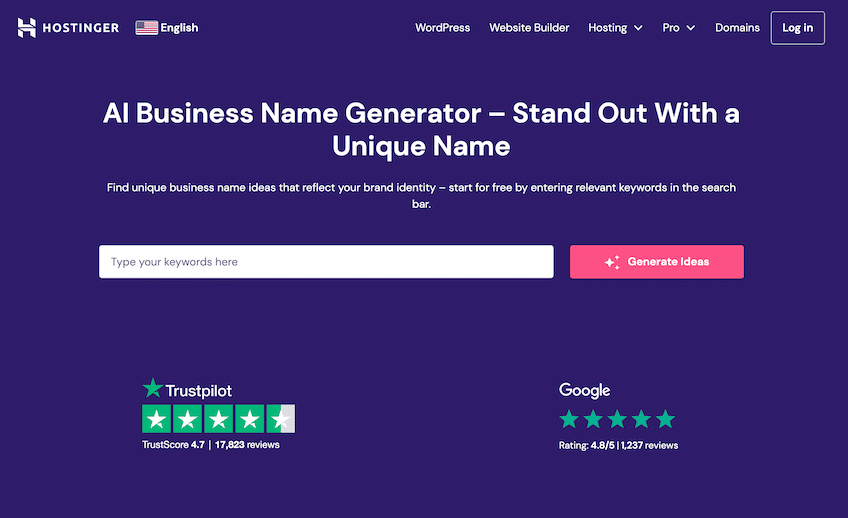
Type a few relevant keywords and Hostinger will generate ideas in seconds. The bonus: you can secure the domain and build the site on the same platform. We have an in-depth guide on how to pick and buy a domain name here.
Once you’ve chosen a name, register the domain with your preferred domain registrar. If you’re buying a domain from someone, transfer it to the registrar you plan to use long term.
Step 3: Open Your Online Store
There are lots of ways to open an online store. To build a high-quality site quickly, we recommend using Hostinger with WooCommerce.
It’s a strong balance of value and simplicity for first-time store owners.
Hostinger offers WooCommerce plans starting at $3.29 per month for new signups, typically including a free domain for one year, unlimited free SSL, and fast NVMe storage. The onboarding is streamlined, so you can add your first products quickly—even if this is your very first website.
Even if you’ve never built a site before, Hostinger’s guided setup, staging environment, malware and vulnerability scanning, object caching, and automated backups make it feel plug-and-play.
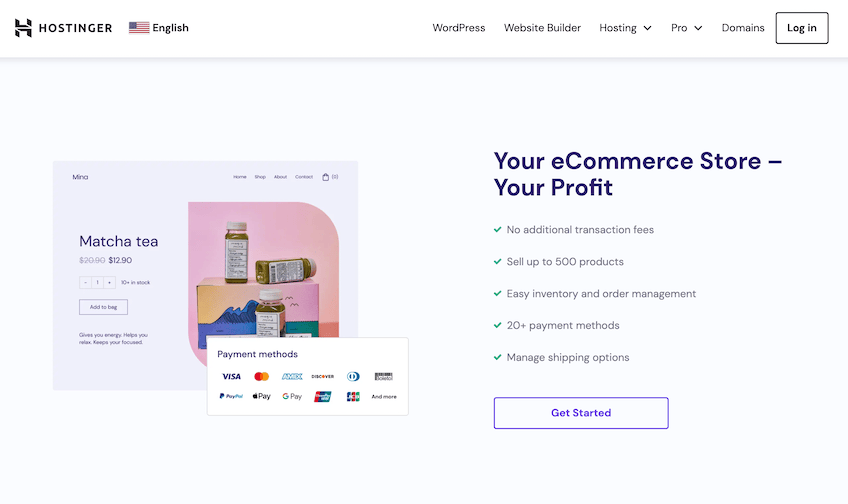
Some of the top features and benefits of using Hostinger and WooCommerce to power your ecommerce shop include:
- 24/7 technical support via live chat
- Drag-and-drop website builder with AI tools
- Free domain name for one year
- Free, unlimited SSL certificates
- Automatic backups (daily or weekly depending on your plan)
New subscriptions are backed by Hostinger’s 30-day money-back guarantee.
For more information, check out our step-by-step walkthrough of how to set up your WooCommerce store with Hostinger.
If you plan on carrying thousands of SKUs or have multiple inventory locations, consider Shopify or BigCommerce for built-in scalability. WooCommerce on WordPress can still work at scale with proper hosting and caching—but those two platforms handle complex catalogs out of the box.
For most first-time stores, WooCommerce on Hostinger is all you need at a much lower price.
Every major ecommerce platform includes built-in marketing tools and integrates with social channels like Instagram, TikTok, and Pinterest, plus marketplaces like eBay and Amazon.
Now let’s drive digital foot traffic to your new shop.
Step 4: Pick Your Marketing Strategy
Create a focused marketing strategy that supports both short-term wins and long-term growth. Your choice here will make or break the store in the first year.
Most successful stores lean hard on one (or more) of these three tactics:
- SEO
- Paid marketing
- Platform marketing
Here’s how each one works.
SEO for Online Stores
The playbook is straightforward: find relevant product and category keywords, create the best page for each, and earn links from useful content in your niche.
If you get this right, SEO can become your highest-margin channel.
Why SEO works so well for ecommerce:
- Traffic is dependable once you rank—so is revenue.
- Search volume is typically higher than other channels.
- At scale, organic traffic stays profitable.
The trade-off: SEO compounds slowly. Expect months before new pages crack page one, and the big gains usually start in the top three positions.
If SEO is your primary strategy, focus on three levers:
- Optimize product and category pages for product-intent keywords (clear titles, unique descriptions, specs, FAQs, reviews, and product schema).
- Publish helpful, non-product content that answers real questions in your niche and internally links to your categories and products.
- Earn links by creating reference-worthy resources (comparison guides, data, calculators) and promoting them with ethical outreach.
When playing the SEO game, content quality and links are your two biggest levers. Also make sure your site is fast, mobile-friendly, and trustworthy (clear policies, contact info, and genuine reviews).
Paid Marketing for Online Stores
Paid marketing includes social ads (Instagram, Facebook, TikTok) and Google Ads. It’s a great fit if your product can be understood at a glance and has an impulse-friendly price point.
Think about the user’s mindset while scrolling social: they’re relaxing, not shopping. Your creative needs to communicate the product and benefit in under three seconds.
Products that tend to work with paid social:
- Consumer products (B2B usually needs more explanation).
- Highly visual with thumb-stopping creatives.
- Simple to understand—no long sales process required.
- Impulse-ready price—no major deliberation required.
Google Ads is the big exception because you’re bidding on high-intent searches. If the keyword volume and bid landscape make sense, it can be very efficient.
Expect to invest before you profit. Most campaigns need weeks or months of iteration across creative, audiences, and landing pages. Set a budget you can afford to learn with, and track CAC and payback period closely.
If cash is tight, start with SEO or platform marketing first.
Platform Marketing for Online Stores
Instead of driving traffic to your own site, you can leverage platforms like Amazon, Etsy, or eBay. The upside is built-in demand; the trade-off is fees and competition.
For most product categories, Amazon offers the biggest audience and most robust logistics. If you sell handmade goods, Etsy is a better fit. eBay works well for resale and unique finds.
Treat the platform as your primary marketing channel. Create high-quality listings and optimize for internal search and conversion.
Focus on two areas:
- Target the exact terms customers search on the platform and structure titles, bullets, and images accordingly.
- Earn legitimate 5-star reviews by delivering great products and service—and using the platform’s compliant review request tools (no incentives).
As visibility and reviews grow, sales follow.
How to Choose the Best Marketing Strategy For Your Online Store
Pick one primary channel and build around it. Mastering multiple channels at once is slow and expensive.
Why focus matters:
- Each channel is its own skill set. Learning several at once dilutes your progress.
- Channels change fast. Staying sharp on one is hard enough.
- Most gains go to top performers. You want to become one of them in at least a single channel.
Stick with your chosen channel long enough to get through the learning curve, then layer on other channels.
Step 5: Do a 60-day Marketing Burst
Most stores launch small. That’s fine—your goal now is quick wins that build momentum and social proof.
You still need your first reviews, your first page to rank, and your first profitable ad set.
Don’t obsess over long-term scalability in the first 60 days. Bias toward action and feedback.
Examples of momentum-builders:
- Tap your network for collaborations and interviews that earn relevant backlinks.
- Use the marketplace’s built-in “request a review” tools and post-purchase emails that comply with platform policies (no incentives or family/friends reviews).
- Spend a small, fixed test budget on ads to validate creative, offer, and landing page quickly.
These aren’t your forever tactics—they’re your first spark.
Research your chosen channel and list 50 bite-size actions you can complete. Prioritize by potential impact and effort, then run a 60-day Marketing Burst. The goal is to ship as many quality actions as possible.
Be reasonable—no 90-hour weeks required—but do expect to roll up your sleeves.
By the end of the burst, you should have baseline traction and enough data to start building your marketing flywheel.
Step 6: Build Your Marketing Flywheel
Once you have momentum, build systems that keep marketing spinning without you doing every task by hand.
What’s a flywheel? It’s a system that stores energy so growth continues with less manual effort over time.
For marketplaces, don’t rely on manual outreach for every review. Instead, use compliant post-purchase messages and packaging inserts that ask for honest feedback—no incentives—and make customer service ridiculously responsive to earn reviews naturally.
On your own site, set up automated email flows: order confirmations, shipping notifications, review requests, and win-back sequences. These happen in the background and compound each month.
For SEO, create a content calendar, outline briefs with target keywords and internal links, and hire writers or creators to produce to your standards. You manage the strategy; the machine produces the assets.
For paid, standardize your creative testing cadence and delegate optimization. Track CAC, LTV, and payback and scale only the winners.
Focus on your core channel, then layer in flywheels that compound results. That’s how you go from launch to durable growth.
Final Thoughts About Starting an Online Store
With the six steps above, you can start building an online store with Hostinger—or whichever ecommerce website builder fits your needs. See all of our top picks on the list of our favorite ecommerce website builders. You can also check out our guide to the best web hosting companies to see what you need to go live with your online store. Happy selling!