
DreamHost is a trusted name in the web hosting world. With over 20 years in the industry, they’ve built a solid reputation for affordable, beginner-friendly, and scalable hosting solutions for both new and experienced users.
DreamHost is a popular option for anyone planning to build their site with WordPress. The company goes all-in on making WordPress accessible and hassle-free. If WordPress is your CMS of choice, DreamHost should be high on your list of hosting providers to consider.

Where DreamHost Stands Out
DreamHost has designed its onboarding and interface specifically with beginners in mind. Even if you’re unfamiliar with WordPress or web hosting in general, DreamHost provides a low-stress, well-guided experience from signup to site launch.
Ease of Use
DreamHost keeps plan selection straightforward with clearly explained, tiered shared/WordPress plans—currently offered as Launch, Growth, and Scale—so it’s easy to choose based on how many sites you’re running and the resources you need.
When you’re ready to sign up, DreamHost accepts both credit cards and PayPal, and it allows you to complete your purchase without selecting a domain name right away. This is especially helpful if you’re still deciding on a brand or project name.
DreamHost also provides a temporary dreamhosters.com subdomain so you can start building your site immediately and preview it before pointing DNS to your domain.
Once your payment is processed, you’ll be taken directly to the DreamHost Panel—an intuitive and well-organized user dashboard. This proprietary interface replaces cPanel, so you don’t have to juggle two separate systems to manage your site. Everything is consolidated into one clean, beginner-friendly panel.
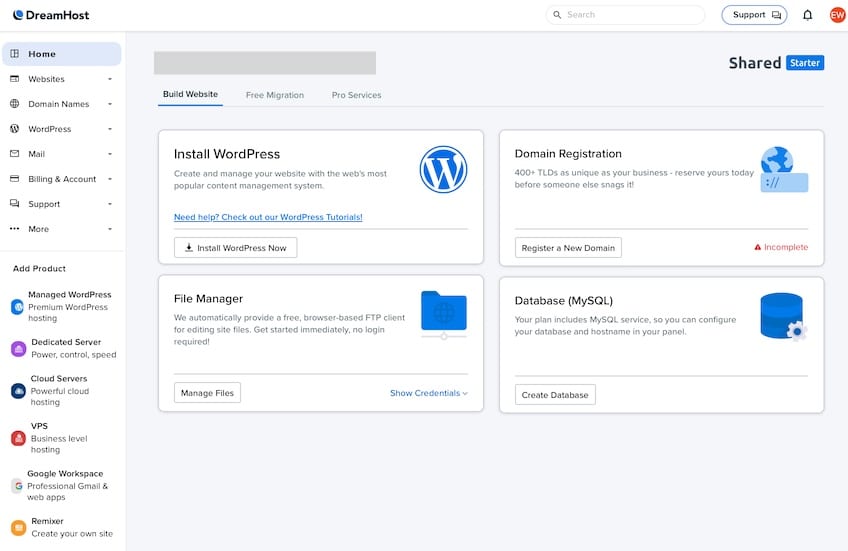
From the left-side menu, you can easily manage every aspect of your hosting account. With just a few clicks, you can:
- Manage all of your websites
- Register and manage domains
- Oversee your WordPress installations
- Handle billing, support, and account settings
- Set up professional email
- Access apps and add-ons
The DreamHost Panel also includes a central control panel area where you can register domains, manage files, configure SSL, use one-click installers, and set up databases. The whole interface is clearly built with user experience in mind.
Installing WordPress is seamless—either during signup or via a one-click installer in the panel. DreamHost then guides you through a short questionnaire to customize your site and can automatically install a few useful plugins based on your responses.
This jumpstarts your website-building journey by including plugins you’d otherwise have to search for manually. It’s a thoughtful touch that saves time and avoids decision fatigue.
You’ll receive a confirmation email with your WordPress credentials and can immediately log into the backend to begin customizing your site.
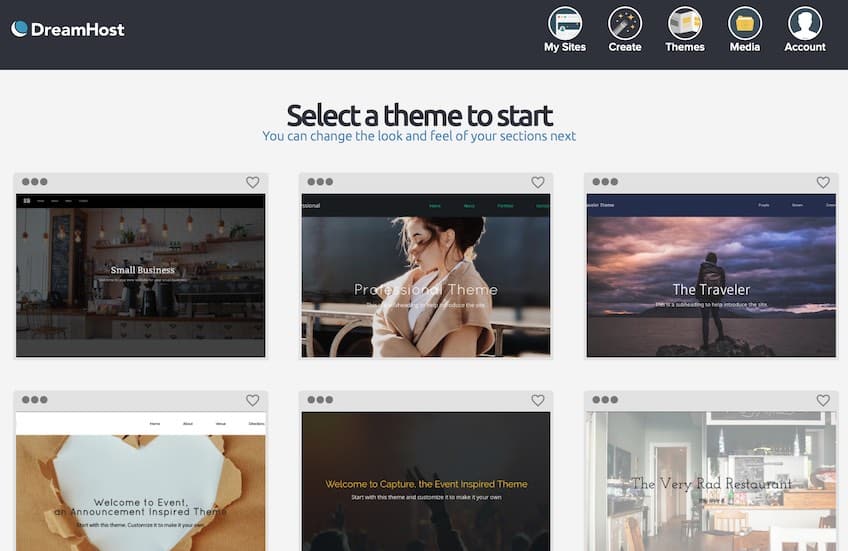
If you’re brand new to WordPress, DreamHost offers a WordPress Website Builder experience with starter templates that let you launch a professional-looking site with minimal effort. Just choose a template, tweak the content, and go live.
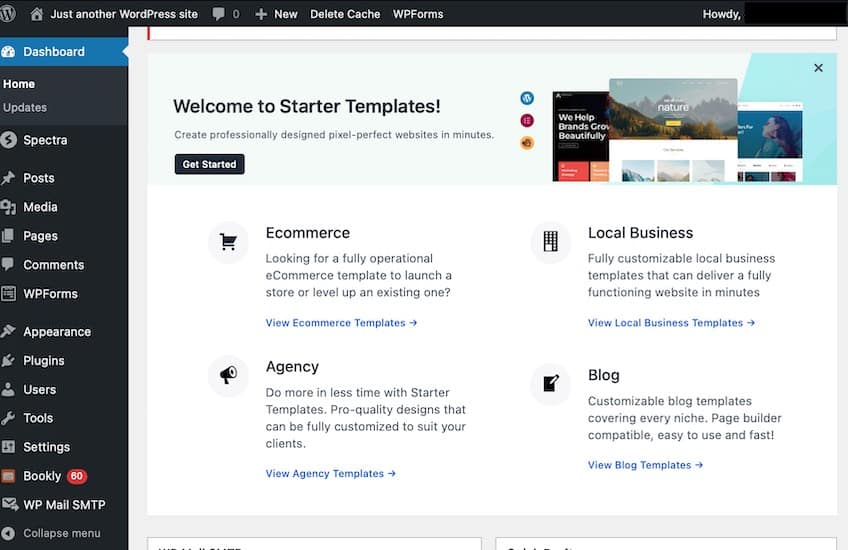
DreamHost’s approach focuses on WordPress itself rather than a separate proprietary builder. If you want long-term flexibility, this WordPress-first path is the better investment.
If you already have a WordPress site hosted elsewhere, DreamHost makes it easy to migrate. You can use their automated migration plugin yourself, or opt for an expert-handled migration for a fee if you prefer a hands-off move.
This migration support is especially valuable if you’re running a high-traffic site or just want to avoid downtime and technical headaches. DreamHost can also migrate non-WordPress sites for a fee.
Scalability
No matter where you’re starting from, DreamHost gives you room to grow. You can move between shared tiers (Launch > Growth > Scale) in a few clicks as your needs change—expanding website capacity and NVMe SSD storage along the way.
When you outgrow shared hosting, DreamHost offers the full ladder:
- Cloud hosting: flexible, usage-based resources for bursty workloads
- VPS hosting: isolated resources and simple vertical scaling
- Managed WordPress (DreamPress): built-in caching, free Bunny CDN, 1-click staging, and on-demand backups
- Dedicated servers: maximum control and performance
For advanced projects, DreamHost also offers DreamCompute—cloud infrastructure suitable for custom stacks, SaaS apps, and database-heavy workloads.
To learn more about the pros and cons of different hosting types, see my guide to web hosting types.
One thing to note: if you want to move to a plan outside your current hosting category (e.g., Shared to VPS), you’ll need to contact support. Otherwise, upgrades within the same category are self-service and easy.
Performance & Reliability
DreamHost includes essentials like free SSL, unmetered bandwidth, and daily automated backups on shared plans. Managed WordPress (DreamPress) adds built-in caching, a free Bunny CDN, 1-click staging, and on-demand backups to safely test changes and speed up global delivery.
You also get secure shell (SSH) access, SFTP, WP-CLI, and a CDN option on managed tiers—useful for developers and growing teams who need faster deploys and lower latency worldwide.
Security
Security basics are covered out of the box: free Let’s Encrypt SSL, automatic WordPress core updates, account isolation, and routine backups. DreamHost also offers DreamShield malware protection as an add-on if you want automated scans and cleanup.
Where DreamHost Could Improve
DreamHost is one of my favorite WordPress-friendly hosting providers, but there’s one major drawback: customer support. For users who need live assistance, getting help can be a frustrating and time-consuming experience.
Customer Support
While DreamHost advertises 24/7 live chat support, actually reaching a human agent can take longer than it should—especially for paying customers. Most support inquiries are first routed to the knowledge base or to a support ticket form.
Whether you use the chat bubble, help icon, or support tab, you’ll encounter suggested articles before you’re given the option to speak with someone. This adds friction to an already slow process.
And even when you do reach a live chat window, wait times can be unpredictable. In my experience and in many user reviews, real-time help can be hit-or-miss. You can usually get solutions via tickets, but it’s rarely instant.
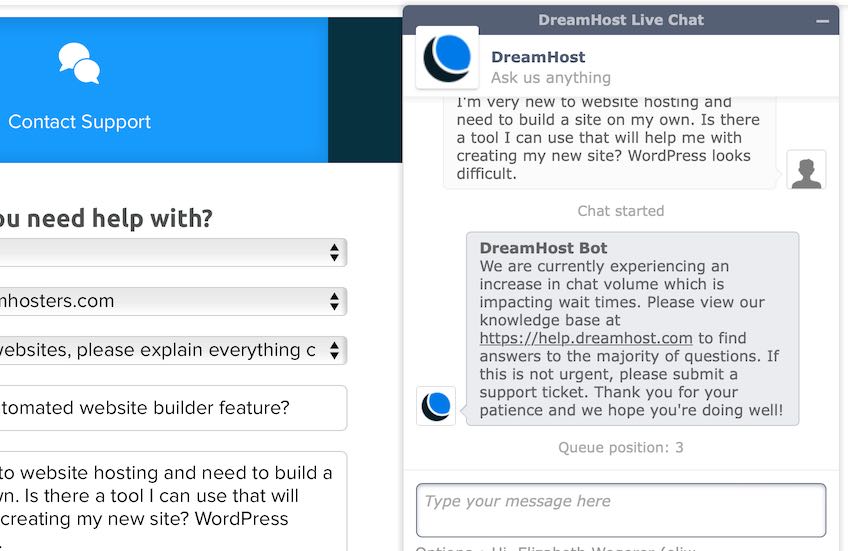
On the plus side, DreamHost’s knowledge base is thorough, and many issues can be solved with self-guided troubleshooting. If you prefer direct interaction, be prepared for occasional waits. Phone support is available as a callback add-on, but it’s not included by default on shared plans.
In short, DreamHost’s self-help resources are strong. Their live support responsiveness could be better.
Pricing & Plans
DreamHost now offers three shared WordPress tiers with clear resource caps (NVMe storage, monthly visit guidance, and website counts) plus unmetered bandwidth. At a glance:
- Launch: up to ~25 websites, NVMe SSD storage suitable for small sites, unmetered bandwidth
- Growth: more storage and sites for expanding portfolios
- Scale: up to ~100 websites with higher NVMe storage caps for busy or multi-site setups
Email is available across plans (with introductory mailbox bundles on some tiers); you can also purchase additional mailboxes as needed.
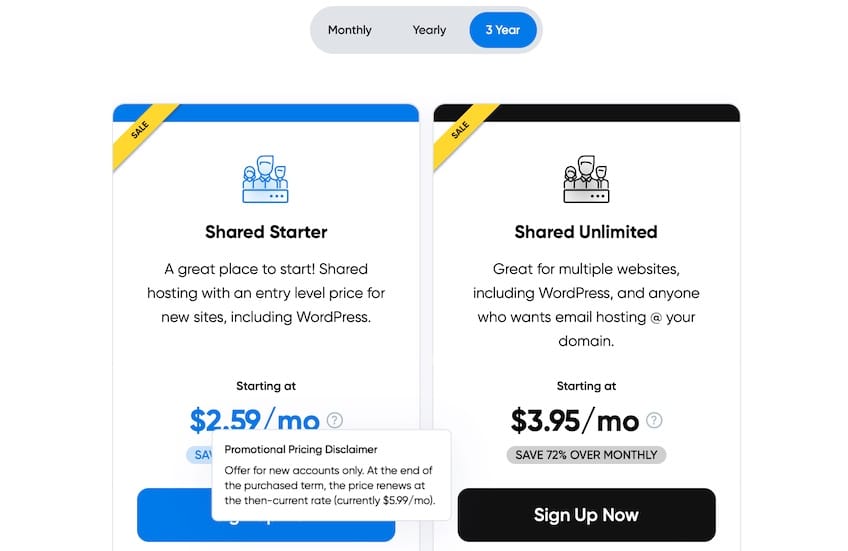
DreamHost offers flexible billing: monthly or annual terms (with promotional first-year pricing on many plans). You’ll generally get the best value on longer terms, but true month-to-month billing is available if you prefer minimal commitment.
Add-ons and extras to consider:
- Domain registration: often discounted the first year on annual plans, with standard renewals thereafter; WHOIS privacy is included
- Domain transfer: available if you want to consolidate management
- Email accounts: mailbox bundles available on many tiers; more mailboxes can be added any time
- Site security (DreamShield): optional malware scanning and cleanup
DreamHost’s current refund policy offers a 30-day money-back guarantee on website hosting (with certain product exclusions). Always check plan details at checkout.
To see how DreamHost stacks up against other providers, check out my full guide to the best web hosting services.
Who DreamHost Is Best For
Choose DreamHost if you want a WordPress-first host with straightforward plan tiers, good value on longer terms, and essentials like SSL and backups included. It’s great for bloggers, small businesses, and growing sites that may later step up to VPS or managed WordPress (DreamPress).