
Great customer service software puts your team in position to win. It reduces busywork, centralizes conversations, and gives agents the context they need to resolve issues faster—so customers spend less time waiting and never have to repeat themselves.
Below you’ll find my top picks for 2026, with clear use cases, current pricing snapshots, and practical tips for choosing the right platform. Nearly every vendor offers a free trial—and several offer generous free tiers—so be sure to test drive what fits your workflow best.
The Top 8 Best Customer Service Software
- Gorgias — Best integrations with ecommerce platforms
- Freshdesk — Best customer service software for keeping costs low
- LiveAgent — Best customer service software for live chat support
- HubSpot — Best free customer service software
- Zoho Desk — Best customer service software for ticketing
- Zendesk — Best customer service software with support suite options available
- Groove — Best customer service software for small teams and startups
- Help Scout — Best customer service software for nonprofits
After extensive research and hands-on testing, I compiled in-depth reviews of each tool, along with the latest plan details and standout features for 2026.
Most vendors offer a free trial, and several have free plans. Try before you buy—seeing the workflows in action is the best way to validate fit.
Best Customer Service Software Reviews
Read on for the core features, benefits, use cases, and current pricing snapshots of each platform.
Gorgias – Best Integrations with Ecommerce Platforms
In ecommerce, support and sales blur together. Gorgias is built for that reality, with deep Shopify, Magento (Adobe Commerce), and BigCommerce integrations that let agents view orders, edit addresses, issue refunds, and even manage discounts without leaving the help desk.
Gorgias pulls customer data, interaction history, and order details into a single thread, so agents always have context. That alone cuts handle time and keeps customers from repeating themselves.
Another area where Gorgias shines is smart automation. Rules, macros, and intent detection reduce repetitive work, while optional automation flows can guide shoppers through personalized Q&A—perfect for product fit finders or post-purchase support. You can also surface AI article suggestions directly in chat so customers get answers fast.
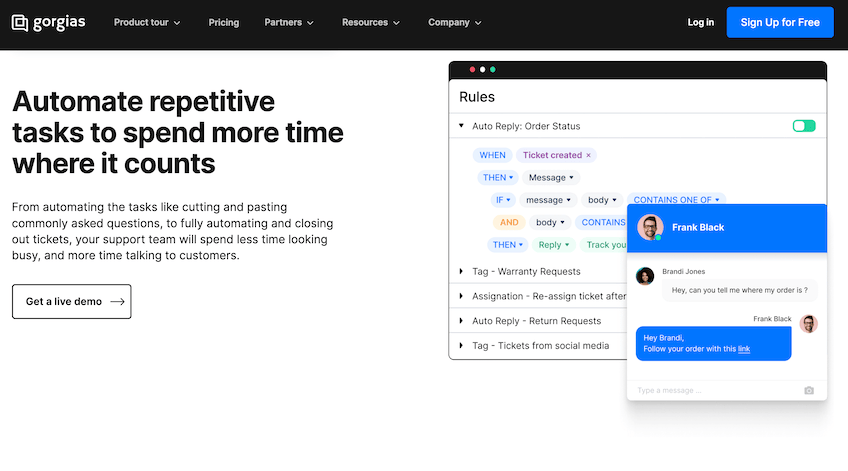
The interface is clean and agent-friendly, with omnichannel support across email, live chat, SMS, and social. Your team can even engage prospects replying to ads or social posts—warming up customers before they hit “add to cart.”
Pricing snapshot (annual discounts available):
Starter — $10/month
- Includes 50 tickets/month (overages apply)
- 3 user seats
- Unlimited social channels
- Dozens of out-of-the-box integrations
Basic — $60/month
- Includes 300 tickets/month (add 100 with a paid add-on)
- Unlimited users
- Live chat and chat campaigns
- Integrations with Shopify, BigCommerce, and social platforms
Pro — $360/month
Everything in Basic, plus:
- Includes 2,000 tickets/month (paid overage options)
- Onboarding assistance and CSAT surveys
- Revenue statistics and deeper reporting
- Magento (Adobe Commerce) integration
Advanced — $900/month
Everything in Pro, plus:
- Includes 5,000 tickets/month (paid overage options)
- Fully managed onboarding and team management tools
- Dedicated Customer Success Manager
- Additional social integrations (including X/Twitter)
Annual billing lowers the monthly equivalent on most tiers (e.g., Basic to ~$50, Pro to ~$300, Advanced to ~$750). Automation, voice, and SMS are optional paid add-ons priced by usage. Enterprise packages are available on request.
If you want ecommerce-native support that also drives revenue, try the seven-day free trial or book a demo.
Freshdesk – Best for Keeping Costs Low
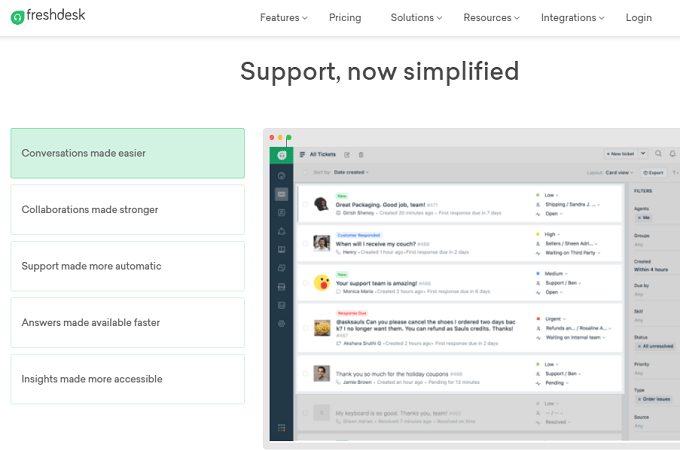
Freshdesk is a budget-friendly help desk that still delivers enterprise-grade features. You can start with a 14-day free trial (Enterprise features) and there’s a Free plan for up to two agents with email/social ticketing and a basic knowledge base.
When you’re ready to scale, Freshdesk lets you pick your channels (email, chat, phone, messaging), automate repetitive tasks, and report on performance—all without forcing a rigid process.
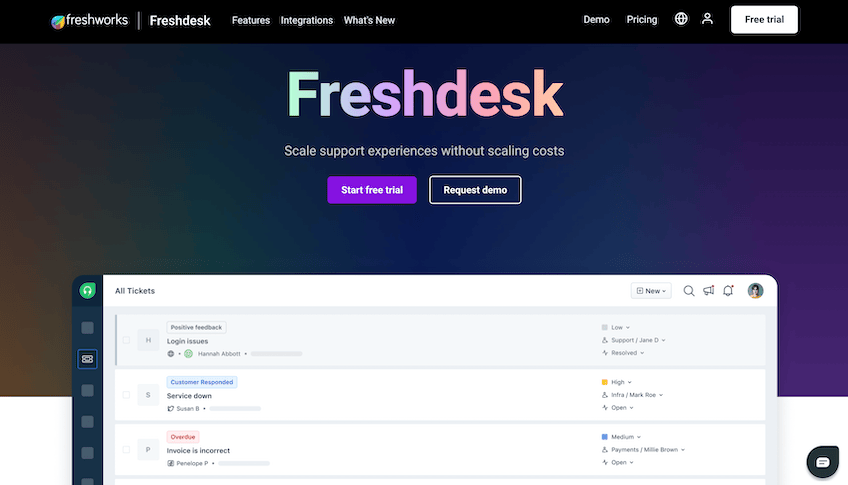
Core features: ticketing, collaboration, field service, automations, self-service/knowledge base, reporting, and multi-channel support.
Switching from another help desk? Freshdesk’s migration resources and Freshworks Academy speed up onboarding so your team can hit the ground running.
Plans & pricing (annual billing):
Free
- Up to 2 agents
- Email & social ticketing
- Knowledge base and team collaboration
- Pre-built reports
Growth — $15 per agent/month
- Automations and collision detection
- Marketplace apps
- SLA management and business hours
- Helpdesk customization
Pro — $49 per agent/month
- Automated ticket assignment & custom agent roles
- Custom portal & enterprise reporting
- Multiple time zones & SLAs
Enterprise — $79 per agent/month
- Skills-based routing and sandbox
- IP whitelisting & HIPAA options
- Extendable API rate limits
Omnichannel bundles (adding phone & messaging) start around $29 per agent/month. Freshdesk’s Day Passes let you add temporary agents for short spikes without paying year-round.
AI add-ons: Freshdesk’s Freddy AI Copilot is available as a paid add-on/bundle that drafts replies, summarizes threads, and assists agents. Pro/Enterprise also include a limited allotment of AI bot sessions; you can buy more as needed.
LiveAgent – Best for Live Chat Support
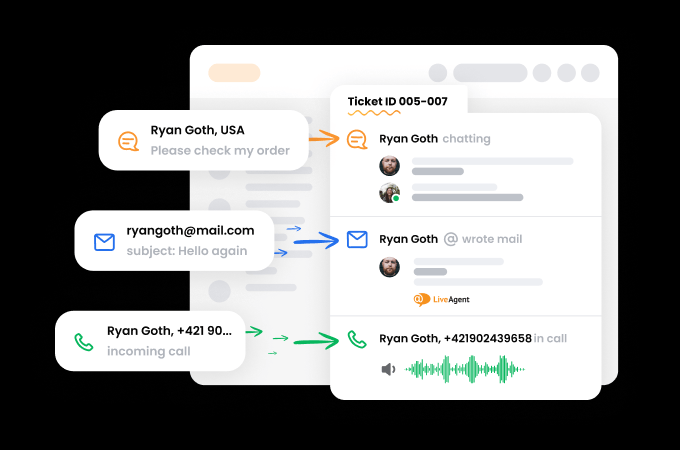
LiveAgent centralizes email, chat, voice, and social into a single workspace. It’s a fast, affordable way to add live chat without sacrificing full help desk features.
Agents see the entire conversation history in one thread—even when a chat turns into an email and then a phone call. That continuity eliminates duplicate questions and speeds resolutions. Recent updates also add built-in AI features (Answer Assistant and AI Chatbot) on paid tiers.
Plans & pricing (per agent/month, billed annually):
Small Business — Starting at $15
- Ticketing, live chat, knowledge base, portal
- Automation rules & integrations
- AI Answer Assistant
Medium Business — Starting at $29
- Everything in Small, plus call center & IVR
- Reports, SLAs, proactive chat
- AI Chatbot
Large Business — Starting at $49
- More channels & quotas (e.g., email accounts, chat buttons)
- Audit logs & custom roles
- Advanced reporting
Enterprise — Starting at $69
- Highest limits (email accounts, chat buttons, departments)
- Priority support & senior account manager
- Advanced security options
If live chat is your priority but you still want omnichannel ticketing, LiveAgent is an easy win. Try it free.
HubSpot – Best Free Customer Service Software
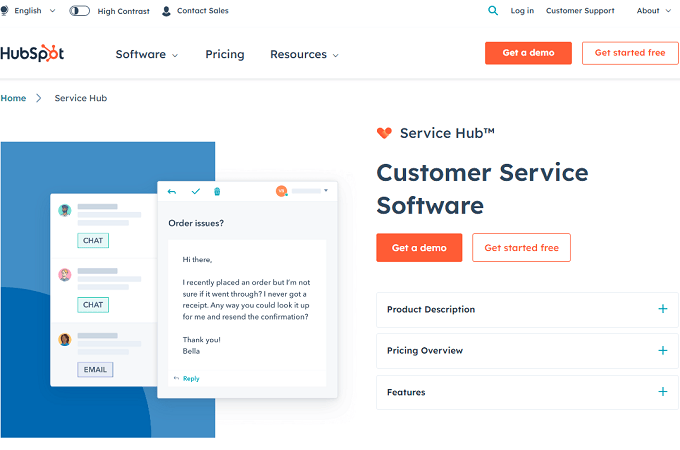
HubSpot is best known for marketing and sales, but its customer service tools are excellent—and the free tier is genuinely useful. You get ticketing, a shared inbox, live chat, chatbots, email templates, and basic reports at no cost.
Upgrading to Service Hub unlocks automation, SLAs, knowledge base, and deeper reporting. Pricing is seat-based with modern AI options at higher tiers.
Paid tiers (annual billing, per seat):
- Service Hub Starter — typically around $15 per seat/month (frequent promos as low as $9)
- Service Hub Professional — around $90 per seat/month
- Service Hub Enterprise — around $150 per seat/month (often with a 10-seat minimum)
HubSpot also offers bundles (Customer Platform) that combine Marketing, Sales, Service, CMS/Content, and Operations—often the best value if you’re standardizing on the HubSpot stack. Try HubSpot for free.
Zoho Desk – Best for Ticketing
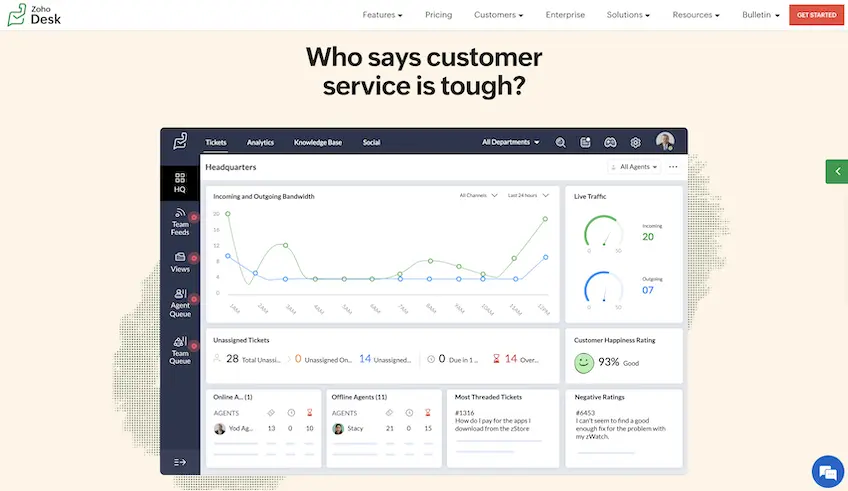
Zoho is a powerhouse suite, and Zoho Desk is its help desk. Create a ticketing system that spans email, chat, phone, social, and more—with clean routing across brands and departments.
Desk makes it easy to hand off cases, enforce SLAs, and keep multi-brand support organized. Customers can switch channels without losing context; agents see the full story.
Plans & pricing (annual billing):
Free — $0
- Up to 3 agents
- Email ticketing, help center, and private knowledge base
- Predefined SLAs, mobile apps, multilingual help desk
Standard — $14 per agent/month
- Social & community channels
- Product-based ticket management
- Public knowledge base, escalations, workflow rules
- Customer happiness ratings
Professional — $23 per agent/month
- Multi-department ticketing & team management
- Telephony, automated time tracking, ticket templates
- Ticket sharing and mobile SDK
Enterprise — $40 per agent/month
- Live chat & AI tools
- Advanced process management & scheduled reports
- Validation rules & role-based data sharing
No matter your size, there’s a Zoho Desk tier that fits. Try it for free.
Zendesk – Best Software with Support Suite Options
Zendesk is a mature, enterprise-ready support suite used by 169,000+ businesses worldwide. It unifies email, chat, social, voice, SMS, and messaging apps with robust workflows and analytics.
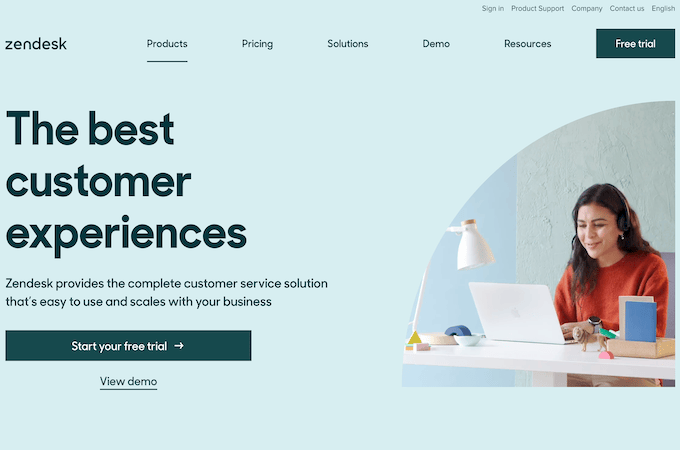
Connect your data sources so the right customer context appears automatically. Zendesk is highly configurable and integrates with hundreds of tools to fit almost any stack.
Zendesk AI helps agents work faster with suggested replies, knowledge cues, and AI-generated answers. Some requests can be resolved end-to-end by AI without agent intervention.
Support Suite pricing (annual):
Suite Team — from $55/agent/month
- Ticketing + messaging (web, mobile, social)
- Voice, SMS, and live chat
- Up to 50 AI-powered answers
- Single help center
Suite Growth — from $89/agent/month
- Up to 100 AI-powered answers
- Multiple help centers
- AI-powered knowledge management
- Multilingual support + custom ticket layouts
Suite Professional — from $115/agent/month
- Omnichannel support with advanced dashboards
- Multiple ticket forms + skills-based routing
- Social messaging add-on available
Suite Enterprise — custom pricing adds features like guided mode, multi-brand support, content gap cues, and 24/7 live support.
Month-to-month options are available as well. You can start any Zendesk product with a free trial.
Groove – Best for Small Teams and Startups
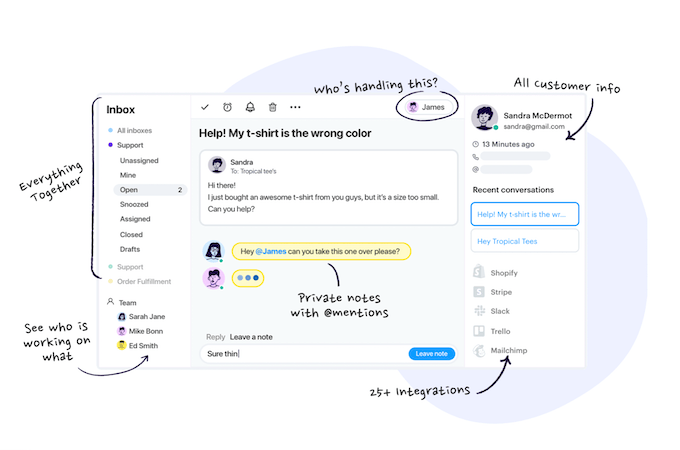
Graduating from a shared inbox? Groove is purpose-built for lean teams. You’ll get a shared inbox, collaborative notes, @mentions, assignments, and simple automations that eliminate busywork.
Its knowledge base is fully customizable and mobile-responsive. Recent AI features summarize long threads, draft replies, and let you generate knowledge base content faster.
Plans & pricing (annual billing, per seat):
Standard — about $24–$29/seat/month
- Ideal for teams up to ~5 seats
- Shared inbox, knowledge base, help widget
- Core rules and instant replies
Plus — about $36–$45/seat/month
- More seats & channels, unlimited rules
- Unlimited instant replies & knowledge base
- Integrations (20+), CSAT, API & webhooks, AI features
Pro — about $56+/seat/month
- Larger teams & unlimited channels
- Round-robin with load balancing, smart folders
- Priority support & CRM integrations (Salesforce, HubSpot, Jira)
Enterprise plans and longer trials are available on request. Groove offers a seven-day free trial with no credit card required—perfect for startups.
Help Scout – Best for Nonprofits
Help Scout is a Certified B Corp with a people-first approach—and generous nonprofit support. If your organization is a nonprofit or B-corp, you can get a lifetime discount through their Help Scout for Good program.
Beyond the mission, the product is excellent: shared inboxes, a friendly UI, embedded Beacon widget, live chat, Docs knowledge base, and solid reporting. Teams can accept an email when chat isn’t available and keep every conversation in one place.
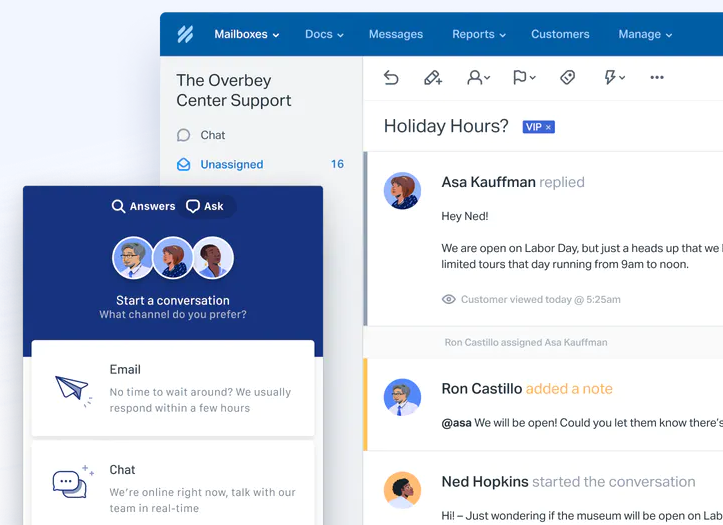
Help Scout uses contact-based billing with unlimited users—great for cross-functional collaboration.
Free — $0 (up to 100 contacts/month; unlimited users)
Standard — $25/month (includes 100 contacts/month; unlimited users)
Plus — $75/month (starts at 100 contacts/month; unlimited users)
Pro — custom pricing (starts around 1,000+ contacts/month)
Nonprofit and startup discounts are available via Help Scout for Good and related programs. You can try Help Scout free—the trial typically covers Standard and Plus tiers.
How to Choose the Best Customer Service Software For Your Business
Use the factors below to narrow your shortlist. Then run a quick pilot with 3–5 real tickets per channel to validate speed, agent experience, and reporting.
This is the methodology I use at Quick Sprout.
Number of Agents
Five agents don’t need what fifty do. Smaller teams can thrive on a shared inbox and basic automations; larger teams benefit from role-based routing, SLA policies, and collaboration features that prevent duplication.
Features like shared inboxes and collision detection are essential when multiple agents may touch the same issue. Everyone sees the full history, customers never repeat themselves, and handoffs are smoother.
Communication Channels
Offer the channels your customers actually use—phone, email, live chat, chatbots, tickets, and social. The trick is consolidating them in one dashboard so agents have a single timeline of every interaction.
Tools like LiveAgent, Zendesk, and Freshdesk present one continuous conversation across channels. A customer can DM you, get an email follow-up, and call a week later—your agent still sees the entire story.
Omnichannel support is table stakes in 2026. Choose software that centralizes channels and automates routing based on skills, intent, or priority.
Feature Bundles
Ignore shiny extras and prioritize what you’ll use in the next 12 months. If live chat is the goal, LiveAgent is excellent. If you need deep ecommerce context, go Gorgias. If your CRM is fixed, ensure native integrations to avoid tab-hopping.
List your “must-haves,” then pick the lowest tier that ticks every box. You can always add AI or voice later.
Price
Most platforms price per agent (Help Scout is a notable exception with contact-based billing). Annual plans are cheaper, and add-ons (voice, AI sessions, extra channels) can impact the final bill. Budget for growth and seasonal spikes.
Don’t skimp on support quality—but don’t overbuy features you won’t implement. Small teams and nonprofits can do a lot with free or entry-level tiers.
Expected Response Time
Match your tooling to customer expectations. A local restaurant can do fine with business-hours phone and email. A B2B SaaS company with SLAs needs automation, on-call coverage, and reporting to track first response and time to resolution.
Live Support vs. Self-Service
Round-the-clock live agents aren’t feasible for many teams. A strong knowledge base plus a helpful chatbot can deflect common questions 24/7, then escalate to humans with full context when needed.
Quick implementation checklist:
- Map your top 20 reasons for contact and create/update articles for each.
- Enable collision detection, skills/intent routing, and SLAs on paid plans.
- Set up CSAT post-resolution and a monthly report for trends and gaps.
- Pilot AI features (drafts, summaries, suggested answers) with clear guardrails.
- Document handoffs between chat to email to phone so agents always see context.
The Top Customer Service Software in 2026
Happy customers return and spend more. Unsatisfied ones can hurt your brand. Lean on platforms like Gorgias, LiveAgent, Freshdesk, HubSpot, Zoho Desk, Zendesk, Groove, and Help Scout to streamline support, delight customers, and scale confidently.
Pricing and feature availability can change—always confirm current details on each vendor’s site during your trial.